Rework vs Repair |IATF Requirement for Control of Reworked/ Repaired Product

Rework vs Repair

Rework vs Repair:

Hello Reader! Today we will discuss the Rework vs Repair of Parts and Control of Reworked/ Repaired Products.

If still, your process exists the Rework or Repair product, then what you need to do? What are the documents and records to be maintained? So don’t waste your time and read the below Article carefully.

Rework Definition:

ISO Definition: Action on a nonconforming product to make it conform to the requirements.”
NOTE Unlike rework, a repair can affect or change parts of the nonconforming product.

Explanation:

Fix the part to meet specifications.

To take action for correcting the defective or non-conforming parts to conforming parts that shall meet the specification/ requirement of the customer.

Example:

The Gearbox housing is rejected due to extra metal, which may probably cause the fouling issue. However the process engineer has taken action to remove the extra metal from the gearbox housing and finally, it meets as per the customer drawing. So here the “action taken by the process engineer” is the reworking process because by doing the temporary work/rework, it meets the customer’s requirement.  

Repair Definition:

ISO Definition: Action on a nonconforming product to make it conform to the requirements.”
NOTE Unlike rework, a repair can affect or change parts of the nonconforming product.

Explanation:

Fix the part so it is usable, but does not meet the specification

To take action for correcting the defective or non-conforming parts to conforming parts, so that it is usable but it does not meet the specification/ requirement of the customer.

Example:

Fixing of a flat tire, fixing a leak in a tire by putting a plug in the tire, or a patch on the tire is called repairing the tire; it doesn’t look like it did when it was brand new. It means the product is ready for use but does not meet the specifications.

Control of Reworked Product: (As per IATF 16949):

What does the organization need to be maintained?

Ans.:- 1. The organization shall prepare the PFMEA w.r.t risks in the rework.

2. The unit shall obtain approval from the customer if required by the customer.

3. The unit shall lay down the rework procedure, control plan, or other relevant documents.

4. The organization shall maintain a record of reworked products/parts including quantity, disposition, date, and traceability information.

[Note: above four important requirements need to be established by the organization/unit if there is an existence of Rework product/ items.]

Control of Repaired Product: (As per IATF 16949):

What are the mandatory requirements that an organization needs to be maintained?

1. The organization shall prepare the PFMEA w.r.t risks in the repair.

2. The unit shall obtain approval from the customer.

3. The unit shall lay down the repair procedure, control plan, or other relevant documents.

4. The unit shall obtain documented customer authorization for a concession for the product to be repaired.

5. The organization shall maintain a record of repair products/parts including quantity, disposition, date, and traceability information.

The Basic difference between the controls of the reworked product and the Repaired product:

In the case of repaired products, the organization must have to obtain the approval and customer authorization for a concession from the customer

I hope the above article is useful to you. We have prudentially described the difference between the rework and repair product with examples.

Useful Articles:

Quality Template
DOWNLOAD

Thank you for reading….Keep visiting Techiequality.Com

Don’t hesitate to comment below if you have any questions

Popular Post:

Corrective Action vs Preventive Action

Corrective Action vs Preventive Action

Corrective Action vs Preventive Action

Hi readers! Today we will discuss an important topic which is Corrective Action vs Preventive Action. The terms Corrective Action and Preventive Action are the most popular terminology in the manufacturing industry. But now in the new business system standard, the preventive action is expressed through the use of risk-based thinking. It means preventive action is replaced by Risk and opportunity. Here we will discuss the definition of Corrective action and preventive action with industrial examples.

CAPA Process/ CAPA Concept w.r.t ISO 9001 and IATF 16949.

CAPA Template/ Format

Corrective Action vs Preventive Action:

Correction: Action to eliminate the symptom of problems.

Corrective Action:

  1. Action to eliminate the cause of non-conformity in order to prevent a recurrence.
  2. Definition 2-Action to eliminate the Root cause of Problems.
  3. Action taken in order to eliminate the root cause.

Preventive Action:

  1. Action to eliminate the cause of potential nonconformities in order to prevent their occurrence.
  2. Definition2.-Action to eliminate the potential cause of problems
  3. Action taken in order to avoid root cause recurrence
Example1-

The XYZ Pvt Ltd Company manufactures Oil sump. But 2% of castings were rejected at the customer end due to shrinkage. So the purchasing department asked the supplier to submit the 8D report and CAPA Report. After getting the Customer Complaint. The Process Engineer of the Supplier started the Rejection investigation and finally prepared the CAPA Report;

Correction: Segregated the Casting and stopped the consignment of the same batch of products.

Corrective Action:

Problem- Shrinkage.

Why-why Shrinkage? Ans. Shrinkage was found at the In-gate of Casting so the process engineer thought that the wrong gating system may be a potential cause for in-gate shrinkage. And he started to recheck the in-gate system.

Why-why in-gate Shrinkage? Ans. The gating system was modified but validation was not done.

Why- Why gating system validation was not done?

Ans. – The production Manager has scheduled the same product for the Next day of modification without the validation of the tool.

Why- why validation is not done timely?

Ans. – There was no comprehensive Production planning. 

Corrective Action: Comprehensive Production planning will be prepared considering with tools status.

Preventive Action: Tools Status will update periodically.

I hope this example is helpful to you to understand the difference between Corrective Action vs Preventive Action.

Useful Articles:

Corrective Action vs Preventive Action
DOWNLOAD

“Should you need any further information, please do not hesitate to comment below”.

Thank you for Reading…Keep Visiting Techiequality.Com

Popular Post:

Kaizen vs Innovation | Key Differences between Kaizen and Innovation

Kaizen vs Innovation

Kaizen vs Innovation | Key Differences between Kaizen and Innovation

Kaizen vs Innovation: Both kaizen and Innovation can be applied at every stage in Manufacturing. But in normal circumstances, these two are applied in two different stages.

Kaizen vs Innovation

In the aforesaid figure, its clearly indicates that the Innovation phase can be started from scientific development i.e. R&D, and leads to new technology and later to design in this order. But the Kaizen phase is giving more emphasis on Gemba Kaizen (Work Place Kaizen).

Diagrammatic Comparison Between Kaizen vs Innovation:

Kaizen vs Innovation

In the above Fig. 2, it clearly indicates that, if an organization starts both the innovation plus kaizen culture, then it will take very little time to achieve a high level of improvement in all aspects.

The organization has only innovation-oriented products that would cost more. Because the transformation of technology will cost high.

Kaizen vs Innovation

Only innovation-oriented organizations may often face the above situation (Decline) due to non-maintenance. So we have to sustain the new standard of innovation to prevent the declining situation.

Innovation without maintenance:

Kaizen vs Innovation

Key Differences Between Kaizen and Innovation:

KAIZEN:
Elements of Comparison Kaizen
Approach More often collective, team Effort, and System oriented.
Method More often collective, Team Effort, and System oriented.
Idea Generation Flow from experience and Knowledge.
Involvement Through People
Maintenance Effort Whether effort put into process improvement gives better results.
Impact Long Term and Long Lasting.
Participation & Involvements Everybody.
Evaluation Whether effort put in process improvement gives better results.
Advantage Very well suitable for a slow-growth economy.
Effect Long term  and continuous but undramatic
Speed Small Steps
Timeframe Continuous and Rising
Changes of success Always on a high level.
Motto Preservation & Improvement
INNOVATION:
Elements of Comparison Innovation
Approach An Aggressive individual likes efforts from an individual.
Method Drastic Change of existing methods by discarding i.e. Creating a new process.
Idea Generation New Investment, Technology Transformation, R&D.
Involvement Investment in Equipment, Technology
Maintenance Effort Through technology
Impact Short -but dramatic change, yielding short-term gains.
Participation & Involvements Select a few.
Evaluation Whether Efforts put in results in profit.
Advantage Fast-growing economic.
Effect Short term but dramatic.
Speed Big Steps
Timeframe Interrupted and limited.
Changes of success Unsettled
Motto Reconstruction

Useful Articles:

Quality Template
DOWNLOAD

Thank you for Reading…. Keep visiting Techiequality.com

If you require any further information, let me know.

Popular Post:

How to plot the Run Chart in Excel | Run Chart Excel Template:

Run Chart Excel

How to plot the Run Chart in Excel?

A run chart is also termed a Line Chart. You can use it on the shop floor to monitor the Process variation. In the run chart, you could able to set up the mean value, upper specification limit, lower specification limit, Median & mode. A Run chart will not be able to give an idea about the control limits. It represents the variation in summarizing data of Process, or Product characteristics. However, it can show you how the process is running. Today we will discuss on how to plot a run chart in Excel. Download the Run Chart Excel template from the below link.

Download Template.

Step by Step guide on How to plot Run Chart in Excel:

Step-1: Enter the reading in the Excel sheet.

Step-2: Calculate the Mean, Median, and Mode values in Excel

Step-3: Put the USL & LSL in an Excel sheet.

Step-4: Select the Excel data table and then follow the below step to select the line chart;

“Insert>>Line graph”

Illustration with Example:

Step-1:

We are going to plot the run chart of the Permeability Number of green sand. Hence we have observed the readings four times per day; these readings are given below;

Date Permeability Number
xx/12/18 198
xx/12/18 199
xx/12/18 195
xx/12/18 198
pp/01/19 196
pp/01/19 198
pp/01/19 199
pp/01/19 197
ss/02/19 198
ss/02/19 197
ss/02/19 196
ss/02/19 198
pp/03/19 197
pp/03/19 195
pp/03/19 196
pp/03/19 200
nn/04/19 199
nn/04/19 200
nn/04/19 198
nn/04/19 200
Step-2:

Calculate the mean, median, and mode of observed value;

Mean: Use the Excel formula to calculate the average value automatically. Details are described in the below figure.

step
Run Chart

Median: Select the Excel Median formula to calculate the Median value automatically. For better understanding, kindly go through the highlighted portion of the below figure.

steps
Run Chart

Mode: use the Excel formula to calculate the mode value for the details formula, kindly go through the below figure highlighted portion.

steps
Run Chart
Step-3:

Put USL and LSL values in Excel, if you would like to draw the line in the run chart. So here specification of Permeability is 200±10. USL is 210 and LSL is 190.

Step-4: To draw the run chart, kindly follow the sequence from “1” to “4” as per the below figure.

Sequence-1: Select the data table.

Sequence-2: Select the “Insert” option in the Excel sheet.

Sequence-3: Select the “Run Chart/ Line Chart” in Excel sheet.

Run Chart
Run Chart
Step-5: Run Chart:
Run Chart
Run Chart

[Run Chart]

(Click-Here to learn about the interpretation of the Run Chart)

Useful Links:

Run Chart Excel
Download

Thank you for reading….Keep visiting Techiequality.Com

Popular Post:

How to plot the Run Chart in Minitab

How to plot the Run Chart in Minitab

How to plot the Run Chart in Minitab

Hi Reader! Today we are going to learn how to plot a Run Chart in Minitab. A run chart is also a Line Chart. It is generally used on the shop floor to monitor the Process variation. In the run chart, you could able to set up the mean value, upper specification limit, lower specification limit, Median & mode. The Run chart will not be able to give an idea about the control limits. It represents the variation in summarizing data of Process, or Product characteristics. However, it can show you how the process is running. If you would like to download the Run Chart Excel template then click on the below link.

Download Quality Template.

Download Run Chart Excel Template.

Step by Step guide on How to plot Run Chart in Minitab:

Step-1: Open the Minitab Software and enter the Reading (Observed Value).

Step-2: Select the Run Chart from Minitab (Start>>Quality Tools>>Run Chart).

Step-3: Select the option “Subgroups across rows of”, next to click on “ok” to draw the Run Chart.

Illustration of Steps:

Step-1:

When you will open the Minitab software; the main screen will look like below. To execute the Minitab you have to enter the data in the input sheet. Please go through the below figure to understand better.

Run Chart in Minitab

Step-2:

Select the Run Chart option in Minitab. Go to (Start>>Quality Tools>>Run Chart).

Run Chart in Minitab

Step-3: After selecting the “Run Chart” option in Minitab, Such below type Dialog Box will appear on the screen. Next; you have to select the Option as “Subgroups across rows of” and then finally select the Column. Look into the below figure for a better understanding.

Run Chart in Minitab
Run Chart: –

After following up the steps from Step-1 to step-3, The Run Chart will be ready to appear.

Run Chart in Minitab
Run Chart

Interpretation of Result: A run chart will give you the approx. P-value of Clustering, Mixtures, Trends, and Oscillation. The Non-Random Variation is not available in the above Run Chart.

Related Post:

Quality Template
DOWNLOAD

Useful Links:

Thank you for reading….Keep visiting Techiequality.Com

Popular Post:

How to calculate Cp and Cpk? | Practical Case Study | Process Capability Example

Process Capability Example

How to calculate Cp and Cpk? | Process Capability Example

Hi readers! today we are going to discuss on Process Capability Example. The Process Capability (Cp) and Process Capability Index (Cpk) are very important tools to measure the process Capability of a Stable Process.

DOWNLOAD (Cp & Cpk Excel Template).

Process Capability Example is given below to understand better.

Process Capability (Cp):

  • Process Capability (Cp) is a statistical measurement of a process’s ability to produce parts within specified limits on a consistent basis
  • It gives us an idea of the width of the Bell curve.
  • The Process Capability for a stable process is typically defined as ((USL-LSL)/ (6 x Standard Deviation)).

Process Capability Index (Cpk):

  • It shows how closely a process is able to produce the output to its overall specifications.
  • More Value of Cpk means more process capable.
  • Cpk value <1 means the bell curve will be out of USL/LSL
  • Common Cpk vale=1,1.33,1.67 & 2
  • The Cpk value of a startup manufacturing organization is supposed to be 1.33.  
  • The Process Capability Index for a stable process is typically defined as the minimum of CPU or CPL

Process Capability Example (Manufacturing Example):

The XYZ Pvt. Ltd, the organization manufactures oil sump. In their quality assurance plan, they have mentioned the Pouring Temperature (Process Parameter of the Melting Process) is a critical characteristic. So they have decided to monitor the Cp and Cpk trend.

The Specification of Pouring Temperature is 1400±10°C.

The Process Engineer has observed the Pouring Temperature and listed the same as below table;

Table (Readings):

Sl. No SB1 SB2 SB3 SB4 SB5 RANGE
1 1403.0 1402.0 1402.0 1401.0 1401.0 2
2 1401.0 1401.0 1401.0 1400.0 1400.0 1
3 1402.0 1402.0 1402.0 1401.0 1401.0 1
4 1400.0 1400.0 1400.00 1399.00 1399.00 1
5 1402.0 1402.0 1401.0 1401.0 1400.0 2
6 1403.0 1403.0 1402.0 1402.0 1401.0 2
7 1400.0 1400.0 1399.0 1399.0 1398.0 2
8 1402.0 1402.0 1402.0 1401.0 1401.0 1
9 1401.0 1401.0 1400.0 1400.0 1399.0 2
10 1399.0 1399.0 1399.0 1398.0 1398.0 1
11 1400.0 1400.0 1400.0 1400.0 1399.0 1
12 1402.00 1402.00 1402.00 1401.0 1401.0 1
13 1402.0 1402.0 1402.0 1401.0 1401.0 1
14 1400.0 1400.0 1399.0 1399.0 1398.0 2
15 1400.0 1400.0 1400.0 1400.0 1399.0 1
16 1399.0 1399.0 1398.0 1398.0 1397.0 2
17 1401.0 1401.0 1401.0 1400.0 1400.0 1
18 1402.0 1402.0 1401.0 1401.0 1400.0 2
19 1400.0 1400.0 1400.0 1399.0 1399.0 1
20 1401.0 1401.0 1400.0 1400.0 1399.0 2

Range=Maximum Value-Minimum Value

Average of Range=1.45

Value of d2=2.326 (For Subgroup size 5)

USL = 1410°C, LSL = 1390°C.

Standard Deviation:

 = Average of Range/d2

 1.45/2.326

=0.623

Process Capability (Cp Formula):

 = ((USL-LSL)/ (6 x Standard Deviation))

= (1410-1390)/ (6 x 0.623)

20/3.738

= 5.351

Process Capability Index (Cpk Formula):

CPU:

= ((USL-Average of Mean)/3 x Standard Deviation)

= (1410-1400.42)/ (3 x 0.623)

9.58/ 1.869

= 5.12

CPL:

= ((Average of Mean-LSL)/3 x Standard Deviation)

= (1400.42-1390)/ 1.869

10.42

=5.58

Cpk= 5.12 (minimum of CPU or CPL).

More on TECHIEQUALITY

Thank you for reading….Keep visiting Techiequality.Com

Popular Post

Process Capability Analysis | Cp & Cpk Calculation Excel Sheet with Example

Process Capability Analysis

Process Capability Analysis | Cp & Cpk Calculation Excel Sheet with Example

Process Capability Analysis: – The Process Capability (Cp) and Process Capability Index (Cpk) are the important tools, which give an Idea about the Process Capability of a Stable Process. Here we will discuss on Calculation of Cp and Cpk with Examples. We are offering here Process Capability Excel Template / Format for you, hence click on the below links to Download the Excel Format.

DOWNLOAD (Cp & Cpk Excel Template / Format-Sample copy)

Process Capability (Cp):

  • Process Capability (Cp) is a statistical measurement of a process’s ability to produce parts within specified limits on a consistent basis
  • It gives us an idea about the width of the Bell curve.
  • The Process Capability for a stable process is typically defined as ((USL-LSL)/ (6 x Standard Deviation)).
Cpk-Process Capability Index :
  • It shows how closely a process is able to produce the output to its overall specifications.
  • More Value of Cpk means more process capable.
  • The Process Capability Index for a stable process is typically defined as the minimum of CPU or CPL.
Process Capability Analysis:

Industrial Example:

As per the Quality Assurance Plan, The shift engineers of Core Shop have started collecting the readings of the scratch hardness of Core. Given below are the details of Product Characteristics;

Specification of Scratch hardness is 70±10.

The Upper Specification Limit is 80.

The Lower Specification Limit is 60.

Tolerance is 20.

Scratch hardness readings Table:
Table-1
Sl.No. 1 2 3 4 5 6 7 8 9 10
SG 1 72.00 71.00 72.00 71.00 72.00 71.00 73.00 71.00 72.00 73.00
SG2 71.00 72.00 72.00 72.00 72.00 72.00 72.00 73.00 73.00 71.00
SG 3 72.00 72.00 71.00 71.00 71.00 73.00 72.00 72.00 71.00 73.00
SG4 70.00 70.00 70.00 70.00 71.00 70.00 71.00 70.00 71.00 70.00
SG 5 72.00 72.00 72.00 72.00 72.00 72.00 72.00 71.00 72.00 71.00
Table-1 [Scratch hardness readings Table]
Table-2
Sl.No. 11 12 13 14 15 16 17 18 19 20
SG1 71.00 72.00 71.00 71.00 72.00 73.00 71.00 72.00 73.00 71.00
SG2 72.00 73.00 73.00 72.00 71.00 72.00 71.00 73.00 71.00 70.00
SG3 72.00 71.00 73.00 72.00 72.00 72.00 71.00 71.00 71.00 70.00
SG4 71.00 70.00 71.00 70.00 70.00 71.00 70.00 71.00 71.00 70.00
SG5 70.00 70.00 71.00 71.00 72.00 71.00 72.00 71.00 71.00 72.00
Table-2 [Scratch hardness readings Table]

In the above two tables (Table-1 &2), we have taken the 100 readings i.e. (20 times X 5 readings at a time).

Range=Maximum Value-Minimum Value

Average of Range=2.15

Value of d2=2.326 (For Subgroup size 5)

USL = 80, LSL = 60.

Standard Deviation:

 = Average of Range/d2

 2.15/2.326

=0.92

Process Capability (Cp):

 = ((USL-LSL)/ (6 x Standard Deviation))

(80-60)/ (6 x 0.92)

20/5.52

= 3.61

Process Capability Index (Cpk):

CPU:

= ((USL-Average of Mean)/3 x Standard Deviation)

(80-71.43)/ (3 x 0.92)

8.57/ 2.76

= 3.10

CPL:

= ((Average of Mean-LSL)/3 x Standard Deviation)

(71.43-60)/ 2.76

10.4211.43/2.76

=4.14

Cpk= 3.10 (minimum of CPU or CPL).

After doing the Process Capability Analysis on Scratch hardness readings, we got the below result value:

Characteristics: Scratch Hardness
Cp (Process Capability) = 3.61
Cpk (Process Capability Index) = 3.10
[ Cp & CpK ]
Process Capability Analysis with Manufacturing Example

The process engineer has collected the 100 nos laddle temperature reading and the same is mentioned in the below table.

Laddle Temperature Specification= 600 ± 15°C

USL = 615

LSL = 585

Table-1
 12345678910
S1605599610605603604600609605601
S2603601612599601598603610603598
S3604598609610612609605612604603
S4600603605598599610598609600610
S5602602607609605612599605609603
Max.605603612610612612605612609610
Min.600598605598599598598605600598
Range55712131477912
Average of Range9.85         
Mean602.8600.6608.6604.2604606.6601609604.2603
Average of Mean603.92         
Table-2
 11121314151617181920
S1599601602604598598609598600598
S2610598602603603603605603603610
S3598603607598610607612607605598
S4609610609603603598604598607602
S5600603605607598610603610598603
Max.610610609607610610612610607610
Min.598598602598598598603598598598
Range1212791212912912
Mean603.2603605603602.4603.2606.6603.2602.6602.2

d2=2.326

Standard Deviation = Average of Range / d2 = 4.23

Cp = (USL-LSL)/6*Standard Deviation = 1.2

CPU = ((USL-Average of Mean)/3 x Standard Deviation) = 0.872

CPL = ((Average of Mean-LSL)/3 x Standard Deviation) = 1.489

CpK = 0.872(minimum of CPU or CPL).

Note: Download the Cp & Cpk excel template or format and deploy it in manufacturing process. downloading links are provided at top of this Article.
FAQ:
What is the difference between Cp & Cpk?

Ans.: Cp & CpK are termed as process capability and process capability index. In both cases, we would like to verify whether the process can meet the customer’s requirements or not. Generally, it is used when the process is under stable & statically control.

What is the formula of Cp & Cpk?

Cp= ((USL-LSL)/ (6 x Standard Deviation)) , where USL=Upper Specification Limit & LSL=Lower Specification Limit.

Cpk= Minimum of CPU or CPL, where CPU= ((USL-Average of Mean)/3 x Standard Deviation) & CPL= ((Average of Mean-LSL)/3 x Standard Deviation)

What are the good values of Cpk?

Generally, the customers provide the Cpk value to their supplier to maintain it in their manufacturing process. but for your knowledge, a Cpk value of 2 or greater than 2 is an excellent one.

What is cpk?

The cpk is the process capability index which shows how closely a process is able to produce the output to its overall specifications.

What is the IATF 16949 requirement of Statistical Concepts or SPC?

Application of statistical concepts in the IATF 16949 standard has been mentioned in Clause no-9.1.1.3, both Control chart (variable and Attribute) and process capability are the mandatory requirements. The application of statistical concepts shall be understood and used by the employees involved. We have published a separate article on Control Charts for our readers and you can Download Control Chart Excel Template / Format.

More on TECHIEQUALITY

How to do Capability Analysis by Minitab 18? | Minitab Process Capability Tutorial

Minitab Process Capability

Minitab Process Capability Free Tutorial |Capability Analysis by Minitab:

Hello! Readers, today we will guide you to learn a new topic as “how to do the Capability Analysis by Minitab18?” as you know that how process capability (Cp, Cpk) is important to know the Process consistency or Stability. To delight and enhance the customer requirement and to get the defect-free product, all critical process’s characteristics capability analysis is supposed to Monitor. Download the Minitab Process Capability free tutorial from below link.

Download Minitab Process Capability Tutorial.

The Customer has generally mentioned the value of Process capability and its index in CSR (Customer Specific requirement or Voice of Customer or Critical to Quality). Even after, Supplier can set their own level of Process capability index value considering with CSR and other requirements. Basically, startup company are set up the value as 1.33 at the initial stage and then to further improvement to 1.67, next 2 and onwards.

Minitab Process Capability Tutorial (Step by Step guide):

Step-1:

When you will open the Minitab 18, the main screen will appear like below.

Minitab Process Capability
Step-2:

let’s get started with an Example, A sheet metal manufacturing company was producing Brake pad. The length of the Brake pad was 150±1mm. After stabilizing the process at “Blanking operation”, Process QC Engineer starts to analysis the Process capability and calculates the Cp & Cpk by using Minitab-18.

We would like to help my all readers to know on How to do Capability Analysis by Minitab 18?

We are having 100 numbers of data readings w.r.t below specifications as;

Subgroup Size=5, Brake pad Length=150±1mm (LSL=149, µ=150, USL=151).

Date Observations
12.03.2019 149.9
12.03.2019 149.3
12.03.2019 149.5
12.03.2019 149.8
12.03.2019 149.9
12.03.2019 149.8
12.03.2019 149.8
12.03.2019 149.8
12.03.2019 149.7
12.03.2019 150
12.03.2019 150.1

……

……

13.03.2019 149.5
13.03.2019 149.5
13.03.2019 149.8
13.03.2019 150.4
13.03.2019 150.4
13.03.2019 150.3
13.03.2019 150.4
13.03.2019 150.3
13.03.2019 150.3
13.03.2019 150.2
Minitab Process Capability

Now, you have to enter all readings in Minitab’s sheet.

Step-3:

Next, you have to select the capability analysis option from Minitab’s Icon. Just follow the serial number sequence from 1 to 4 as shown in the below fire for selecting the capability analysis option.

[Start>>Quality Tools>>Capability Analysis>>Normal].

Minitab Process Capability
 Step-4:

After, selecting the Capability Analysis option, a Dialog Box will appear on the screen just like below. Now, you have to set up some value in a dialog box, just go through the below figure to understand better, here we have already filled up the value w.r.t Brake pad’s specs. (Length=150±1mm, subgroup size=5). Finally, after set-up the value you are expected to click on the “ok” option in the dialog box.

Minitab Process Capability
Step-5:

Finally, after selecting the “ok” option in the dialog box, your Process Capability value and the graph will be ready, just like below;

Minitab Process Capability
Process capability Report:

Process capability (within), Cp: 1.97

Cpk, Process capability index (within): 1.97

Process Performance (overall), Pp: 1.20

Ppk, Process performance index (overall): 1.20

You could also like to learn about:

How to Create Control Chart by Minitab-18?

What is SPC?

CAPA Process.

OEE Calculation.

Root Cause Analysis Methodology.

[If you would like to download the several quality Templates, then go to the Download section in below.]

Useful Links:

Thank you for reading…………. Keep visiting Techiequality.Com

Popular Post:

Run Chart Example | Concept & Interpretation of Result with Case Study | Industrial Example:

Run Chart Example

Run Chart Example | Concept & Interpretation of Result with Case Study | Industrial Example:

Hi readers! today we are going to discuss on Run Chart Example. A run chart is also called a Line graph. It’s a live Chart that you can use it on the shop floor to monitor the Process variation. In the run chart, you could able to set up the mean value, upper specification limit, and lower specification limit. A Run chart will not be able to give an idea about the control limits. It represents the variation in summarizing data of Process, or Product characteristics. However, it can show you how the process is running.

Download the Run Chart Example Template in Excel.

Interpretation of Result with Case Study:

  • Interp.-1: Six or more consecutive points fall above or below the centre line (Median Line). 
  • Interp.-2: Five or more successive points are going up or down.
  • Interp.-3: Too many or too few runs.
  • Interp.-4: An astronomical data point.

If any, one of the above interpretations has been identified in the run chart, it means variation (non-random variation) present in the process’s characteristics.

Industrial Practical Example of Run Chart (Run Chart Example):

We are going to take an example from the Iron manufacturing industry. Such a company is produced as an automobile part with the following specifications.

Pouring Temperature =1400°C±20°C.

The company has decided to maintain the variation trend of Pouring temperature. They have implemented a run chart on the shop floor to monitor and measure the variation of pouring temperature w.r.t time period. The process engineer promptly started to measure the temperature readings four times a day (three working shifts) for five days. Below are the readings for your reference as;

Temperature Reading Table:

 Date Observed Value
xx/yy/19 1397
xx/yy/19 1398
xx/yy/19 1401
xx/yy/19 1405
pp/qq/19 1407
pp/qq/19 1400
pp/qq/19 1398
pp/qq/19 1405
ss/gg/19 1398
ss/gg/19 1405
ss/gg/19 1398
ss/gg/19 1401
pp/ss/19 1425
pp/ss/19 1399
pp/ss/19 1402
pp/ss/19 1398
nn/gg/19 1403
nn/gg/19 1400
nn/gg/19 1398
nn/gg/19 1407
Now, we are supposed to calculate the mean, median, and mode values to plot the run chart.
Date Observed Value USL LSL Mean Median Mode
xx/yy/19 1397 1420 1380 1402.25 1400.5 1398
xx/yy/19 1398 1420 1380 1402.25 1400.5 1398
xx/yy/19 1401 1420 1380 1402.25 1400.5 1398
xx/yy/19 1405 1420 1380 1402.25 1400.5 1398
pp/qq/19 1407 1420 1380 1402.25 1400.5 1398
pp/qq/19 1400 1420 1380 1402.25 1400.5 1398
pp/qq/19 1398 1420 1380 1402.25 1400.5 1398
pp/qq/19 1405 1420 1380 1402.25 1400.5 1398
ss/gg/19 1398 1420 1380 1402.25 1400.5 1398
ss/gg/19 1405 1420 1380 1402.25 1400.5 1398
ss/gg/19 1398 1420 1380 1402.25 1400.5 1398
ss/gg/19 1401 1420 1380 1402.25 1400.5 1398
pp/ss/19 1425 1420 1380 1402.25 1400.5 1398
pp/ss/19 1399 1420 1380 1402.25 1400.5 1398
pp/ss/19 1402 1420 1380 1402.25 1400.5 1398
pp/ss/19 1398 1420 1380 1402.25 1400.5 1398
nn/gg/19 1403 1420 1380 1402.25 1400.5 1398
nn/gg/19 1400 1420 1380 1402.25 1400.5 1398
nn/gg/19 1398 1420 1380 1402.25 1400.5 1398
nn/gg/19 1407 1420 1380 1402.25 1400.5 1398

By using the aforesaid data table, we have plotted a run chart/line chart with the help of Excel. But you can also plot the run chart by Minitab such a process we will discuss later in separate articles.

Run Chart Example
Run Chart Example

[Run Chart Plot by Excel]

Interpretation of the above run chart:

Before, we discuss the result of the above run chart. I would like to request you kindly go through the above chart prudently.

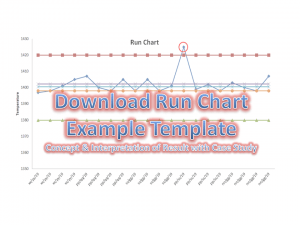
In the above chart, one reading (red highlighted point) suddenly goes up and the chart represents an astronomical data point interpretation. It means there is the existence of variation in the process and it is a non-random variation. In such a way you can plot the run chart to know how the process is running and according you could able to act on it.

Useful Links: (Download Template)

Thank you for reading….Keep visiting Techiequality.Com

Popular Post:

Risk Register | Download Risk Register Template:

Risk Register

Download Risk Register Template:

Hi Reader! Today we are going to discuss an important topic, which is called Risk-based thinking and Risk management. The organization uses different types of tools to identify the Risks but here, we will be discussing one of the popular tools, i.e. Risk Register. As we know most probably business standards like QMS, EMS, OH&SMS, etc. are now risk-based thinking approaches. So we will only concentrate on learning how to use the Risk register with Examples.

DOWNLOAD–the Risk Identification Template in Excel.

DOWNLOAD–the Risk Record Template in Word.

Risk Identification Template in Pdf.–DOWNLOAD

If you are interested to know about Risk Management, then Click here.

How to Use Risk Register Template:

Step-1: Download the Above Template by simply clicking on the Download link.

Step-2: Read carefully the terminology.

Step-3: The severity Table is given in the Excel Template in a Separate Sheet, So don’t forget to download the Excel Template.

Step-4: Read carefully the sample example written in red colour in Template.

Example: Before I describe the Template, Please go through the below figure.

Risk Register Template
 Terminology:

[1] Risk No.: Unique identification of each and every identified risk.

[2] Risk: Details about the Risk.

[3] Mitigating Action: Action to eliminate the Impact of Risk.

[4] Contingent Action: Action to eliminate the re-occurrence of Risk.

Here, in the above Figure, I have taken an Example of Customer complaints. So let’s get started with details about the above complaint.

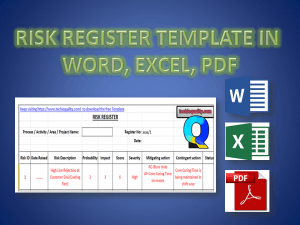
High Line rejection at the Customer end was the Risk which has the score value 6 and severity is coming under the High Level. The criteria of probability and impact depend upon the organization’s decision. For a sample basis, I have taken the severity ranking according to the below data;

severity table

A Mitigation plan has taken w.r.t the Root Cause Analysis, so here Increasing the core curing time was the corrective action and contingent action is the Preventive action. Which is “Core curing time is being maintained shift-wise”.

FAQ:

Q1: Where can we use this template?

A1: You can use this template in Project management, Risk Management, to identify the QMS, EMS OHSAS, and Business-related risks.

Q2: Who will decide the Criteria of Probability, Impact, and Severity?

A2: The organization itself will decide the criteria as to what it would be.

Download Free Templates/Format:

Thank You for Reading………Keep Visiting Techiequality.Com

Popular Post: