Common QA Interview Questions with Answers

qa interview questions

QA Interview Questions with Answers | scenario-based, AI+Quality

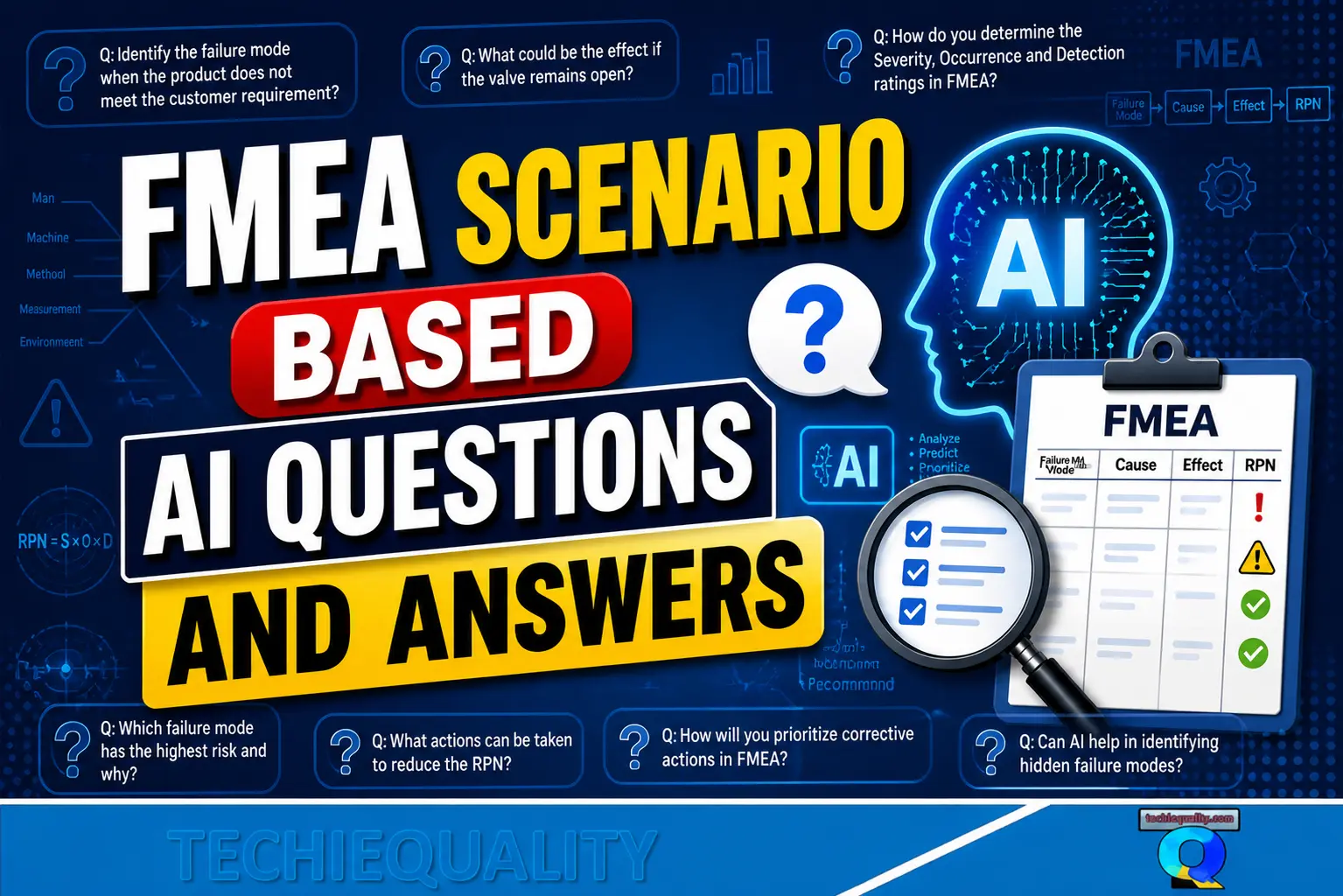
Hi Readers, today we will be discussing an important topic that is related to Interview Questions for a QA Engineer. A Quality Assurance (QA) Engineer plays a critical role in ensuring that products meet customer requirements and industry standards. Whether you are a fresher or an experienced professional, interviews often test both theoretical knowledge and practical problem-solving skills. This guide qa interview questions covers the most frequently asked QA interview questions with Scenario-Based Questions and AI, along with clear answers and examples to help you crack your interview confidently.

qa interview questions

Basic QA Interview Questions:

1. What is Quality Assurance vs Quality Control?

Ans.

Quality Assurance (QA): Process-oriented (focuses on preventing defects)

Quality Control (QC): Product-oriented (focuses on identifying defects)

Example:
QA defines the inspection process, while QC checks the final product.

2. What is a QMS (Quality Management System)?

Ans.

A Quality Management System (QMS) is a structured framework of processes and procedures used to ensure consistent product quality and customer satisfaction, often aligned with ISO 9001, IATF 16949, etc.

3. What is TQM (Total Quality Management)?

Ans.

TQM is a company-wide approach focused on:

Continuous improvement

Customer satisfaction

Employee involvement

8 Principles of TQM

1. Customer Focus

The organization must understand and meet customer needs

Aim to exceed expectations

Example: Collect feedback and improve product quality based on complaints

2. Leadership

Strong leadership sets vision, direction, and culture

Leaders create an environment for quality

Example: Management promoting a zero-defect culture

3. Involvement of People

Employees at all levels must be engaged and empowered

Everyone contributes to quality

Example: Shop-floor operators suggesting improvements

4. Process Approach

Manage activities as processes to improve efficiency

Focus on inputs to process to outputs

Example: Standard operating procedures (SOPs / WI)

5. System Approach to Management

Identify and manage interrelated processes as a system

Improves overall effectiveness

Example: Linking production, quality, and supply chain

6. Continual Improvement

Continuous effort to improve products and processes

Example: Kaizen activities, regular audits

Factual Approach to Decision Making

Decisions should be based on data and analysis, not assumptions

Example: Using SPC charts and defect data

8. Mutually Beneficial Supplier Relationships

Strong relationships with suppliers improve quality

Example: Supplier audits and long-term partnerships

Easy Way to Remember

C L I P S C F M
(Customer, Leadership, Involvement, Process, System, Continual, Factual, Mutual)

Interview Tip

If asked:
First, list all 8
Then explain 2–3 with examples.

4. What are the 7 QC tools?

Ans.

  • Pareto Chart
  • Fishbone Diagram
  • Control Chart
  • Histogram
  • Check Sheet
  • Scatter Diagram
  • Flowchart

Core Practical Questions

5. What is Incoming Quality Control (IQC)?

Ans.

IQC is the process of inspecting raw materials or components before they enter production to ensure they meet specifications.

6. What is Cp and Cpk?

Ans.

Cp = (USL-LSL)/6Sigma, Cpk = Min. {(USL-mean)/3sigma, (Mean-LSL)/3Sigma}

Cp: Measures process capability

Cpk: Measures process capability + centering

Tip: Cpk is always ≤ Cp.

7. What is a Control Plan?

Ans.

A Control Plan is a document that defines:

  • What to inspect
  • How to inspect
  • Frequency
  • Reaction plan if defects occur

8. What is FMEA?

Ans.

Failure Mode and Effects Analysis is used to:

  • Identify potential failures
  • Assess risk using Action Priority (AP)
  • Prioritize corrective actions

9. What is MSA (Measurement System Analysis)?

MSA ensures that your measurement system is accurate and reliable.
Example: Gage R&R study and Attribute type MSA

Problem-Solving Interview Questions

10. What is Root Cause Analysis (RCA)?

Ans.

A method to identify the actual cause of a problem, not just symptoms.

11. Explain 5 Why Analysis

Ans.

Ask “Why?” repeatedly (typically 5 times) to reach the root cause.

Example:
Problem: Machine breakdown

Why 1?: The machine stopped due to a component failure
Why 2?: Critical component (bearing/motor/gear) failed
Why 3?: Excess wear/overheating/misalignment
Why 4?: Improper maintenance or operating condition
Why 5?: No preventive maintenance system/lack of standard procedure

RC: Lack of a preventive maintenance system

12. What is an 8D Report?

Ans.

A structured problem-solving approach with 8 steps:

  • Team formation
  • Problem description
  • Containment Actions
  • Root cause
  • Developing permanent Corrective action
  • Implementation of permanent Corrective action
  • Prevention Actions
  • Congratulate the team

Lean & Six Sigma Questions

13. What is DMAIC?

Ans.

  • Define
  • Measure
  • Analyse
  • Improve
  • Control

Used in Six Sigma for process improvement.

14. What is Kaizen?

Ans.

Continuous improvement through small, incremental changes.

15. Lean vs Six Sigma

Ans.

Lean: focus on waste reduction, improve flow

Six sigma: Focus on variation reduction, improve quality

AI & Modern Quality Questions

16. How is AI used in Quality?

Ans.

AI helps in Defect detection (vision systems), Predictive quality analysis, and automated inspection

17. What is Industry 4.0 in Quality?

Ans.

Integration of IoT, AI, and automation to create smart factories with real-time quality monitoring.

Scenario-Based Questions (High Importance)

18. Defect rate suddenly increases. What will you do?

Ans.

  1. Containment (stop defective output)
  2. Data collection
  3. Root cause analysis
  4. Corrective action
  5. Preventive action

19. Supplier is sending defective parts. How will you handle it?

Ans.

  • Reject incoming material
  • Issue Supplier CAPA report request
  • Monitor improvement
  • Conduct a supplier audit if required

20. How do you ensure continuous improvement?

Ans.

  • KPI monitoring
  • Internal audits
  • CAPA system
  • Kaizen activities

Thanks for Reading… Keep visiting TECHIEQUALITY.

How to Implement Business & Operational Excellence in Startups

Business & Operational Excellence in Startups

How to Implement Business & Operational Excellence in Startups

Hi Readers! In today’s business environment, organizations try for both operational efficiency and business excellence, the two concepts that are frequently discussed together but serve different purposes. Along with operational efficiency & Business excellence, we are going to discuss other important topics which are also used in industries and organisations, along with the complete guide on how to Implement Business & Operational Excellence in Startups

The most important things that startups are struggling in aspect of excellence and strategic. But if they can adopt and crate a culture towards business, operational, and process excellence, then they can manage the performance better than traditional methods, so here we will be discussing the 4 popular principles like business excellence, process & operational excellence, and operational efficiency.

Operational efficiency is about doing things right, maximizing output, minimizing waste, and optimizing processes to ensure cost-effective operations. But Business excellence is about doing the right things, aligning every aspect of the organization with its strategic vision, encouraging innovation, and delivering superior value to customers and interested parties. Understanding the differences and interplay between these two approaches is crucial for any business aiming to achieve sustainable growth and long-term success.

In this blog, we’ll explore what sets business excellence and operational efficiency apart, why both matter, and how leading organizations balance them to stay ahead in the competitive landscape.

Startups often experience rapid growth; however, only those with well-defined systems, robust processes, and a strong organizational culture are able to sustain that momentum. This is where Business Excellence (BE) and Operational Excellence (OpEx.) play a transformative role. These frameworks enable startups to scale in a structured manner, minimize waste, embed quality into every process, and enhance overall performance.

This guide provides a clear understanding of Business Excellence and Operational Excellence, highlights their importance for startup success, and outlines the key steps required to implement these practices effectively from the very beginning.

What is Business Excellence:

As you know that Business Excellence is a strategic approach used to build a high-performing organization through structured frameworks, clear goals, and performance management systems. It gives attention on long term direction, Strategy making & execution, Leadership and Customer oriented / focused business processes.

Whenever there is a confusion then you can ask yourself “are we building the startup the right way for long term success” then you can think why Business excellence is important for long term success.

What is Operational Excellence:

Operational Excellence is a hands-on, execution-oriented framework to improve daily operations.

It focuses on:

  • Eliminating waste
  • Standardizing processes
  • Improving productivity
  • Ensuring consistent quality

The operational excellence answers the most popular question; Are we running our daily operations efficiently?

Business Excellence vs Operational Excellence

Business ExcellenceOperational Excellence
StrategicOperational
Long term roadmapDaily execution
Focus on vision, goals, KPIsFocus on Process, efficiency, Quality
Leadership drivenTeam driven

Business Excellence sets the direction; Operational Excellence makes execution efficient.

Why Startups Need Excellence Early

  • Faster scalability

Standardized processes reduce chaos as the team grows.

  • Cost savings

Eliminates unnecessary steps, errors, and waste.

  • Better customer satisfaction

Quality improves. Enhanced the CSI.

  • Strong team culture

Teams follow clear processes, roles, and expectations.

  • Data-driven decision-making

Leaders stop guessing and start improving based on real numbers.

Step-by-Step Implementation of operational excellence & business excellence framework for startups:

Step 1: Define Vision, Mission & Long-Term Goals

Without clarity, the startup direction becomes reactive instead of strategic.

Define Where you want to reach (Vision), Why you exist (Mission) & What you want to achieve in 1–5 years (Goals)

Step 2: Set Clear KPIs & Performance Metrics

Set the M&M (Monitoring measurement metrics and track it.
Examples for startups:

  • Customer Acquisition Cost (CAC)
  • Retention rate
  • Lead conversion rate
  • Cycle time / Delivery time
  • Employee productivity metrics
  • Conversion Cost
  • COPQ
  • FOC
  • MTTR & MTBF
  • OEE
  • Productivity
  • 16 Losses
  • Rework %
  • FPY%
  • Rejection%

KPIs = early-warning signals for improvement.

Step 3: Map & Standardize Business Processes

Document critical workflows like PFD, SIPOC, SOP, WI, MS, PI, etc.

  • R&D
  • Manufacturing
  • Production
  • Quality
  • Testing
  • SCM
  • Utility
  • Material Control
  • ESG
  • Business Excellence, TPM, TQM
  • HR
  • Finance & Accounting
  • Sales
  • Customer support

Standardization reduces mistakes and improves speed.

Step 4: Apply Lean Tools, TPM, TQM, QMS & Continuous Improvement

Start with simple tools like;

How to Implement Business & Operational Excellence in Startups
Business & Operational Excellence in Startups

Step 5: Build a Data-Driven Culture

Use dashboards to monitor performance:

  • Power BI
  • Google Data Studio
  • Excel dashboards

With data, teams take fact-based decisions, not assumptions.

Step 6: Automate Repetitive Processes

Automation saves time and reduces human errors.

Tools like:

  • Jira
  • CRM automation

Start small then automate then scale.

Step 7: Review, Audit & Improve Continuously

Do the Weekly performance reviews, Monthly KPI scorecards & Quarterly business reviews

This creates a foundation of ongoing excellence.

Common Challenges & How to Overcome Them

Ch.1: We don’t have time for processes

Use small steps, start with critical workflows or process.

Ch.2: Team resists new systems

Train them and show benefits.

Ch.3: We don’t know which metrics to track

Choose 5–10 KPIs or Objectives aligned with business goals.

Ch.4: Improvement feels slow

Excellence is a journey not a one-time project.

FAQ: Why Start Today?

Implementing Business & Operational Excellence early gives your startup a competitive advantage. It builds a strong foundation, improves performance, reduces costs, and ensures your startup grows sustainably and smartly.

QC Template, Advanced Tools and Techniques

qc template

QC Template, Advanced Tools and Techniques

Hi Readers, today we will be discussing on different types of QC Template, advanced tools, and common techniques of quality control. Download the Quality Control Excel template from the given below links

qc template

QC Template

Quality control is one of the aspects of quality management and it is mainly product-oriented and focuses on identifying defects in the actual products produced. The key area is to confirm that the product meets the required quality standards by inspecting, testing, and verifying the final output. The main focus is to detect the defects in the product produced.

The common activities that we can use the inspection of product in different stages like incoming, in-process, and final, etc., testing of products (performance, durability, functionality), and review of production outputs to ensure they meet requirements/ specifications. The common tools are 7qc tools, testing, and audit methods to identify the issues. The main focus is to identify & correct the defects before reaching the customer.

Similarly, here we will just learn the basics of quality assurance as well. It is a process-oriented approach that focuses on ensuring the processes involved in production to produce quality products (defect-free products). The main focus is to prevent defects by improving and stabilizing the processes.

In the QA approach, you can ensure the right processes are in place to produce high-quality products or services.

QC (Quality Control Main Concept):

  • Its focus on the product (detect defects in the product)
  • The main goal is to identify and correct the defects
  • The activities mainly or commonly used in the manufacturing process are inspection, testing, product checking, etc.
  • It is a reactive approach
  • QC is about the product and ensuring it meets the required quality.

QC Templates:

Quality Control templates are the predefined format that guides the collection, tracking, and reporting of quality data. It helps in documenting and standardizing quality-related activities, making tracking and reporting efficient. Below are some popular templates;

  • Inspection check sheet/ checklist.
  • Defects Report/NCR (non-conformance report)
  • Audit Report Template
  • Customized/required product testing template.
  • Control Chart.

QC Tools:

  • Check Sheets:

A simple document used to collect data in real time.

A bar chart that identifies the most significant factors in a dataset, is often used in defect analysis. It follows the 80/20 rule, showing that 80% of defects are caused by 20% of problems.

It’s a frequency distribution chart. It shows how often values occur and helps identify variations or trends in the product’s quality.

A tool used to plot data points on a graph, which helps visualize the relationship between two variables.

  • Flowchart:

A visual tool used to map out processes step-by-step.

These charts track process variation over time. Control charts are essential in identifying whether a process is stable or needs corrective action. Control charts are classified into two types [1] attribute type, [2] Variable type.

A cause-and-effect diagram is used to identify the potential cause of the problem. It breaks down potential factors contributing to defects in categories like Man, Methods Materials, Machines, etc.

Advanced QC Tools:

  • Failure Mode and Effects Analysis (FMEA):
  • Statistical Process Control (SPC):
  • Design of Experiments (DOE):
  • Six Sigma Tools:
  • PPAP
  • APQP
  • MSA

QC Techniques:

QC techniques are the methodologies for applying tools and conducting systematic inspections, tests, and analyses to maintain product quality. Below are given some examples but these are not limited to.

  • Inspection: The process of manually or mechanically checking products for defects or compliance with specifications.
  • Sampling: Instead of inspecting 100%, QC may involve sampling a subset of products for testing.
  • Statistical Quality Control (SQC): Using statistical methods to monitor and control production processes.
  • Root Cause Analysis.
  • Corrective and Preventive Action (CAPA).

Thanks for Reading… Keep visiting TECHIEQUALITY.

Internal Audit | Types | Types of Auditors | Manufacturing Example

Internal Audit

Internal Audit | Types | Types of Auditors | Manufacturing Example

Hi Readers, today we will be discussing an important topic related to Audit, i.e. Internal audit. In detail, we will cover the audit types, the outcome of the audit, the types of auditors, and its Benefits.

Types of Audits:

Internal Audit

Mainly we will discuss the different types of popular audits following in manufacturing industries. In the above image, we have only mentioned the popular audit types i.e.

  • 1st Party Audit
  • 2nd party Audit
  • 3rd Party Audit

3rd Party Audit:

It is also called External Audit. Here we will try to understand this type of audit with examples so that we can understand it better. Let’s say an organization try to certified the company with ISO 9001, for that company selects a xyx CB (certification body) to conduct the iso 9001 audit for QMS certification. The auditor who will carry out the audit are called 3rd party auditor and this audit is called 3rd party audit.

The main purpose of the audit is to provide an unbiased assessment of compliance with standards, regulations, or contractual obligations.

It is generally used for certification purposes or to satisfy regulatory requirements.

Example: An ISO 9001, 45001, 14001, IATF 16949 Certification Audit.

2nd Party Audit:

The 2nd party audit is also called as Supplier Audit or Customer Audit. Similarly, here also we will understand the concept with examples. Suppose a PQR company would like to verify that the supplier is meeting the specified customer requirements, standards and statutory requirements or not. For that the company PQR carried out the supplier audit. The auditors who had carried out the audit are called 2nd party auditor and this audit is called 2nd party audit.

The main purpose of doing the 2nd party audit is to verify the supplier adheres to the agreed-upon terms, quality standards, and compliance obligations.

Example: Supplier or Vendor or service provider audit, customer audit, etc.

1st Party Audit:

The 1st party audit is also called as Internal Audit. And the popular internal auditing is mentioned in the below picture.

Internal Audit

The organization itself conducts the internal audit by an internal auditor to evaluate and improve its own process, product, system and control.

Now we will understand some common terminology related to internal audit in simple ways.

Internal audit is the 1st party audit, which is carried out by organization itself with the help of certified internal auditors.

The guidelines or audit process is supposed to be prepared to refer to both auditing management systems (ISO 19011) and Standards like ISO 9001, 14001, 45001, and Customer requirements. If there is no as such customer requirement for internal audit or the company is not certified with any standard then, organization can prepare own internal audit procedure.

The below points will help you in doing the systematic internal Audit.

  • Internal Auditors
  • Internal Audit Procedure
  • Audit Checklist / Questionnaire
  • Internal Auditors Competency Matrix
  • Scope of the Audit
  • Audit Programme
  • Audit Plan
  • Audit Schedule
  • Audit Result.
  • Closing of Audit finding

Here we will understand one by one all the above points for systematically carrying out the internal audit

Internal Auditor:

An organization shall be followed the both standards (if org. certified with specific standards) and customer requirements of internal auditing to define auditor competency and criteria.

Example: An IATF 16949 QMS internal auditor shall have below competency as per the latest standard. The below given competency are for example only and these are not limited to. To know the details and complete competency then follow the latest version of the relevant standards.

  • Understanding of the automotive process approach for auditing, including risk-based thinking
  • Understanding of applicable IATF16949 requirements related to the scope of the audit, CSR & Organisation Requirements, and Core tools requirements related to the scope of the audit.
  • How to plan, conduct, report & close out audit findings.
  • Executing a minimum number of audits per year, as defined by the organization.
  • Maintaining knowledge of relevant requirements based on internal changes & external changes.
Internal Audit Procedure:

Internal Audit procedure gives you clear-cut direction on how to carry out the audit from start to end. During the preparation of the Procedure or SOP, you have to consider all requirements defined in standard and CSR (Customer specific requirement), for example, audit frequency based on external performance, internal performance, and risk.

Internal Audit Procedure, Edition-1, Date:
Scope: User: Input: Output: Resource: Audit process: … …… ……
Audit Checklist / Questionnaire:

This is very useful and valuable tool that can helps to ensure that an audit is conducted in systematic manner. There is lot of benefits for using an audit checklist and some are mentioned below for better understanding:

  • Auditors can reduce the variability and maintain uniformity in audits.
  • It can help the auditors to cover all necessary aspects of the audit without missing the all-standard requirements.
  • Auditors can easily identify what needs to be reviewed during the audit for specific operations or departmental audits.
  • It ensures that the same criteria are applied in every audit.
  • It can help you for more accurate and reliable audit results
  • It can make it easier for auditors to follow a structured approach
Example: IATF 16949 Checklist sample copy
Sl. No.Audit Check PointRemarks
1Has the organization determined the interested parties that are relevant to the quality management system and their requirements? 
2Has the organization determined the scope of the remote location? 
3Has the organisation determined the scope of the remote location? 
 ……. 
99Ensure customer complaint and field failure test analysis 
100Ensure the continual improvement process 
Internal Auditors Competency Matrix:

It’s a very useful and helpful tools to monitor the competency of the Auditors as per standard requirements.

Example: Given below template can help you to monitor the competency of IATF 16949 QMS Auditors.

Auditor NameQualificationExperienceUnderstanding of the automotive process approach for auditing, including risk-based thinking  Executing a minimum number of audits per year, as defined by the organisation.  Executing a minimum number of audits per year, as defined by the organization.  
Mr. AB.Tech5 years   
Mr. BB.E6 years   
Mr. CM.Sc12 years   
Mr. DDiploma11 years   
Scope of the Audit:

It’s generally the boundaries and extent of the audit work to be performed.

Example: Design and Manufacture of Flywheel for Industrial application.

Audit Plan/Schedule/Result:

It is the most important process of Internal Audit, The audit plan shall prepare w.r.t relevant standards and customer-specific requirement. For example, we are going to prepare the IATF 16949 standard-related internal audit plan, then you have to make the plan based on the standard requirement, e.g. audit frequency will be based on external performance, internal performance, and risk.

Audit Schedule Sample Template:

DateProcessAuditor NameAuditee Name
yy.ff.20..MeltingMr. AMr. C
pp.ff.20..Core shopMr. BMr. D
Audited Site: Date: 
Closing of Audit Finding:

Here we will discuss mainly three types of audit findings i.e. [1] OFI, [2] Minor NC, and [3] Major NC.

You can follow the auditing management systems (ISO 19011) to define the audit findings criteria.

An organization can define the criteria for Minor NC and Major NC, for example, failure to meet the requirement of clause of IATF16949 is defined as Minor NC. More than two minor NC in the same process or/and total failure of the system to meet the requirement of IATF 16949 is defined as Major NC. This is the one of the example, in this way, an organization can determine the criteria of Major and minor NC. Similarly, we have to define the NC closing time period. And We should adhere the time period to close the NC.

Thanks for Reading… Keep visiting TECHIEQUALITY.

How to Create a Drop Down List in Excel Template with Manufacturing Example

Drop Down List in Excel

How to Create a Drop Down List in Excel Template with manufacturing Example

Hello readers! Today we are going to discuss on a very useful topic and similarly, we will learn how to create it. So, don’t hurry I’m just going to tell you the topic name which is very popular in Excel creation. But how we can efficiently use this option during preparing any type of Excel template where it can applicable. Hence, I hope you have already read the headline of this topic but even also I am telling you that we are going to learn on How to Create a Drop Down List in an Excel Template with a manufacturing Example.

Excel Sample Template with drop Down option-DOWNLOAD.

How to Create a Drop Down List in Excel Template

Here we will learn the step-by-step process of drop down list creation in excel template with manufacturing examples. Suppose a manufacturing company try to prepare the checklist in user user-friendly template in excel, where the inspector only needs to select the observation points from the drop down list. So, lets get started on how to create such excel template by following the step-by-step guide.

Step-by-step guide for the creation of useful template with drop-down option:

Step-1:

First of all, prepare the Checklist, for example, we have prepared a sample checklist related to quality checking as given below. Similarly, you have to create any template in Excel where you need to create a drop down list.

Drop Down List in Excel

Step-2:

We are going to learn two different methods for creating a drop down list in an Excel template. But first, we will study the method-1. In our case we have written the observation drop down option is “Yes” and “No” for the first checkpoint, similarly your drop-down option will be based on the checkpoints only. Just go through the below image to understand the better.

Drop Down List in Excel

Step-3:

Click on the cell of Excel where you would like to create a drop down option then, follow the path Data>> Data tools>> Data Validation (See details in below picture). Click on the data validation option in Excel.

data>>data validation

Step-4:

This process is the main part of the method-1 for drop down option creation in excel template. In our case we have entered the Yes and No in any cell of the excel sheet.

After clicking on the data validation option one pop-up box will be opened, next you have to follow the below post serially as

  1. Select the “List” option first
  2. Click on the source button
  3. Select the drop-down option, in our case we have selected the “Yes” and “No” options written in excel sheet, for details please go through the below given image.
  4. Click on the “OK” option after completing the above 1 to 3 instructions. Now your drop down option is ready
Drop Down List in Excel
checklist

As we have already discussed we are going to learn two different methods for drop down creation in Excel template, in the above steps we have learned the method-1 but now time to understand the method-2, hence follow the given below steps.

Method-2 is the simplest way to create the drop down list in excel template. So just go through the below steps
  1. Select the cell on the excel sheet where you would like to create a drop down list
  2. Follow the path on excel sheet: Data>>Data Tools>>Data validation, then click on the data validation option.
  3. One pop up option will be opened after clicking on the data validation option in Excel, then you have to select “List” then, in the source option, you have to write the drop down option list (In our case we have written YES, NO as you can see in below image).
  4. After completion of 1 to 3 instructions simply click on OK button then your drop down option will be ready. See the below image for a better understanding of the all above steps in pictorial form.
method 2
checklist

How to Clear or Delete the drop down list in Excel template?

Now, we are going to learn one more activity that is how to delete the drop down list in excel template after creation. Hence follow the below instructions to do so;

  1. Select the excel cell from which you want to delete the drop down option
  2. Follow the path in Excel: Data>>Data tools>>Data validation.
  3. Click on Data validation, then you will see the pop-up box where you have to click on “Clear All” option and then click on OK button. Now you have completed the complete instructions for deleting the drop-down option. See the below image for a better understanding.
How to delete drop down list in excel

Useful Post-

Normal Distribution Probability Formula, Calculation & Manufacturing Examples.

SDCA Cycle understanding with Manufacturing Example | PDCA vs SDCA

AI in Manufacturing Industry | What to upskilled w.r.t AI

DPMO Calculation, Formula, Template & Manufacturing Example

More on Techiequality

SDCA Cycle understanding with Manufacturing Example | PDCA vs SDCA

SDCA Cycle

SDCA Cycle understanding with Manufacturing Example | PDCA vs SDCA

Hello readers! Today we are going to discuss on SDCA Cycle, which is very commonly used in manufacturing industries for sustenance and improvement purposes. The SDCA cycle stands for Standardize, Do, Check, and Act. There is always confusion between PDCA and SDCA cycle. But today here we will learn the difference between the PDCA and SDCA as well. We have already published an article on the PDCA cycle with a manufacturing example, if you would like to learn more about the PDCA cycle then go through the below-given topic link.

Concept and practical application of PDCA Cycle with manufacturing example.

Before we start with the SDCA cycle we would just learn about the PDCA cycle with manufacturing examples, so that we can better understand the concept of SDCA. Suppose a company has a high rejection% of 5% at a particular process-A and management decided to take an improvement project to reduce the rejection% from 5% to 1% through the PDCA cycle. So the project has been handed over to the Process QA champion for successful completion. With the help of the PDCA cycle The QA champion has planned an action plan based on bream storming and why- why analysis, Root cause, and action plan has been identified, based on the root cause, a proposed action plan has been taken in the plan phase of PDCA cycle. And in the DO phase, all action plan has been implemented. In the Check phase, the performance monitoring was checked and in the Act phase according to the performance result team decided whether to continue the cycle further or not, if the performance result achieved the target value then don’t require to repeat the cycle until unless no further improvement is planned. As you know that during the DO-phase. Many action has been implemented in practice and also finally you have achieved the improvement target as well, but one question is that operation is a dynamic process if you could not standardize the action taken and if whatever you have implemented the action will not sustain then there definitely your process performance or improvement project performance will be come to initial performance level. I meant to say that again your process rejection will be 5% or maybe more due to lack of sustenance of action taken. So it is important to maintain the sustenance of action taken that is why SDCA cycle is required.

SDCA Cycle:

SDCA Cycle

Let us understand the SDCA Cycle with a manufacturing industrial example, suppose a company plans to improve the process-A by reducing the rejection percentage. And execute the PDCA cycle and take the action plan and implemented the action plan. As an action plan, they have installed error proofing (Automatic detection sensor, height detection sensor, and camera as well). Also, they have imparted training to operators. After successfully implementing of action plan they have achieved the target value and reduced the rejection percentage. As you know that next, important point is to sustain the action taken so that the process will not deteriorate. Hence to sustain the process you have to apply the SDCA cycle lets understand it in detail with the above example.

Standardize Phase:

First of all, In standardize phase, we have to standardize the action taken. According to the above example, we have to prepare the SOP for error error-proofing testing procedure. Maintenance, calibration, and also need to add the error-proofing in the control plan for monitoring and measurement purposes also. Periodic training procedures along with the visual display, OPL need to be standardized. So these are one of the examples, accordingly, you can standardize the action taken to sustain the process performance.

DO Phase:

In the Do phase, we have to implement, whatever standardizes in S-Phase.

Check phase:

In the Check phase, we have to check and follow the Standardize one, whatever the Standardize in S-phase. We have to check the performance level that process performing the sustenance level or not.

Act Phase;

 In the Act phase, according to the performance result you have to act on it. If your performance level /output is meeting the target value then it’s ok. If not then you have to act on it means need a further action plan.

You can plan for further improvement of your process by applying again PDCA cycle. It’s a common question many people think how many times do we need to apply the PDCA cycle? I think You can continue the PDCA cycle until achieve the improvement target.      

SDCA Cycle

Useful Post:

DPMO Calculation, Formula, Template & Manufacturing Example

Six Sigma Project Examples | 15+ Project Examples

CAPA Example | Manufacturing examples | CAPA Meaning

DMAIC Tools | DMAIC Template | Six Sigma Methodologies | 30+ Free Tools

More on Techiequality

Normal Distribution Probability Formula, Calculation & Manufacturing Examples

Normal Distribution Probability

Normal Distribution Probability Formula, Calculation & Manufacturing Examples

Hello readers! Today we will be discussing the normal distribution probability calculation with manufacturing example. If observed or recorded data are normally distributed then you can calculate the probability in easy three ways by Z score table, by using excel function and last but not least method is by help of Minitab software. So here we are going to learn all three methods with manufacturing example.

Normal Distribution Probability Calculation:

Before discussing on probability calculation of normally distributed data, you should ensure that data are followed normal distribution. To do so, you can either plot a graph or can execute the hypothesis test just to confirm the distribution. For example, you have plotted the histogram to know the data distribution for normality then you can pay attention towards the data symmetric followed by the bell curve. If data are symmetric then we can call the data are normally distributed. But sometimes it may be difficult to understand from the graph then you can go for a hypothesis test as well.

Once you confirm the normal distribution, whether data are normally distributed or not, then you can follow the following below 3- methods for calculating the probability.

  • Probability calculation by Z score table
  • By using Excel function
  • By using Minitab software

Normal Distribution Probability Calculation with Manufacturing Examples:

Now, let’s talk about the normal distribution examples and solutions of manufacturing industry. Suppose a company manufacturing the metal sheet having specification range of thickness is 5±0.2. Thickness of random sample of 31 nos sheet is given below then, Calculate the total rejection percentage?

Sheet No.Sheet Thickness
14.97
24.99
35.01
45.04
54.98
64.99
75.03
85.05
94.96
104.98
115.02
125.04
135.05
145.21
155.03
165.04
175.1
185.09
195.01
205
215.03
225.01
235.12
245.08
255.09
264.99
275.04
285.07
295.08
305
314.98

Calculation:                  

Mean = 5.035, Standard deviation = 0.052, USL = 5.2, LSL = 4.8

Normal Distribution Probability

Total Rejection percentage calculation using Z Score:

The normal distribution probability formula using z score and cumulative probability table is given below.

Z Score Formula = (Observed Value – Mean) / Standard Deviation

Z Score @4.8 = 4.8-5.035/0.052

= -4.52

Z score @5.2 = 5.2- 5.035/0.052

= 3.17

Based on Z score vale -4.5, the cumulative probability (P(X<4.8)) is 0.0000034 (Data from z score table).

The cumulative probability P(X<5.2) based on Z score 3.17 is 0.9992

P(X>5.2) = 1- P(X<5.2) = 1-0.9992 = 0.0008

Total Rejection = P(X<4.8) + P(X>5.2)

= 0.0000034 + 0.0008 = 0.000803

Total Rejection% = 0.08%

Total Rejection percentage calculation using Excel function:

Formula for normal distribution probability using excel function is given below, just follow the beneath provided function to calculate the probability.

Mean = 5.035, Standard deviation = 0.052, USL = 5.2, LSL = 4.8

Excel Function Formula = NORM.DIST(x, mean, standard deviation, cumulative)

P(X<4.8) = NORM.DIST(4.8,5.035,0.052,TRUE-cumulative distribution function)

= 0.0

P(X>5.2) = 1- P(X<5.2) = 1- 0.9992 = 0.0008

Total Rejection% = 0.08%

Total Rejection percentage calculation using Minitab:

  • Follow the below steps to open the normal distribution page
Normal Distribution Probability
  • Select the below option and then, click on “OK”.
Normal Distribution Probability

P(X<4.8) = 0.0000031

Similarly calculate the P(X>5.2)

P(X>5.2) = 1- P(X<5.2)

= 1-0.9992 = 0.0008

Total Rejection = 0.0000031 + 0.0008 = 0.0008031

Total Rejection% = 0.08%

Useful Post:

SDCA Cycle understanding with Manufacturing Example | PDCA vs SDCA

DPMO Calculation, Formula, Template & Manufacturing Example

Six Sigma Project Charter Template

Six Sigma Project Examples | 15+ Project Examples

More on Techiequality

DMAIC Tools | DMAIC Template | Six Sigma Methodologies | 30+ Free Tools

DMAIC Tools

DMAIC Tools | DMAIC Template | Six Sigma Methodologies | 20+ Free Tools

Hello readers! Today we are going to discuss an important topic on various DMAIC tools, Six Sigma methodologies, and the DMAIC template and its usage. Six Sigma is a very popular methodology that has been using in manufacturing industries for continuous improvement. A set of methodologies and various tools are used to improve the processes by optimizing efficiency, eliminating waste, reducing defects, minimizing variation, reducing errors, and increasing quality, etc.  The main objectives of Six Sigma projects are to enhance the Sigma level and to reduce or minimize the DPMO (Defects per million opportunities).

 What are the Six Sigma Belt Levels?

As we know that there are various belts in Six Sigma certifications, for example, master black belts, black belts, green belts, yellow belts, white belts, etc. Let’s understand the details of all belts;

six sigma belts level
Six Sigma Belts Level

White Belt:

 This is the first level of six sigma certification. During white belt certification, you can learn the overview of the entire six sigma course. This six sigma course mainly emphasizes the basic concept of six sigma, fundamental methodology, terminology, etc. the course time periods may depend on the course providers once you are certified in the course you can easily understand the basic of Six Sigma and can work as problem-solving team that supports the overall projects teams. Many times people are confused about choosing the six sigma certification belt level. But I hope after reading all the Six Sigma belt levels, you can easily choose the course for yourself.

Yellow Belt:

Don’t confuse yourself when hearing about different types of belts. Different types of belts are classified according to the different levels of course like basic to advanced, roles of the certificate holder, level of project, knowledge level, etc. so according to your understanding of Six Sigma you can choose the certification course. The yellow belt is the second level of the certification course. The yellow belt certificate holder can participate as a project team member. And can review the process improvement that supports the project and review the six sigma process. However, the yellow belt is not adequate to empower certificate holders to lead a six sigma project. 

Green Belt:

Through the Green Belt, a GB-certified holder may have with proper knowledge and understanding of Six Sigma methodology, application of tools, etc. As a GB certified holder, you can lead the GB Six Sigma project or teams. In the GB project, you can take part as a team leader or member of the GB six sigma project with strategy implementation, methodology application, problem-solving, decision-making, etc. You can help with the black belt project for data collection and analysis.

Black Belt:

The black belt certified holder’s primary roles are process improvement, variation reduction, quality enhancement, DPMO reduction, and Sigma level enhancement by applying the six sigma methodology and concept. This is the advanced level, of course, compared to the green belt. BB certificate holder leads the project, trains and coaches the project teams as well.

Master Black Belt:

MBB is the high point of the six sigma course. A master black belt certificate holder trains and coaches the black belt and green belt holder. Your role is to make a six sigma strategy and implement an advanced level. Act as a six sigma technologist and give the strategic direction to the next level in your organization. You play a vital role as an expert in providing leadership, facilitation, methodology application, and strategic direction.  

Now, we will discuss on some common numerical terminology of Six Sigma which is frequently used in projects like DPU, DPO, DPMO, DPPM, Cp, Cpk, RPN, PN, Gauge R&R, Sigma level, P value, etc. sigma level you can choose from the sigma level table w.r.t DPMO value or you can calculate the value on excel as well.

DPMO, DPU, DPO, DPPM:

DPMO (Defects per million opportunities):

Before starting the DPMO calculation and concept, we will be understanding what is defects and defective items with the manufacturing practical example. Let’s consider a process control inspector doing the inspection in the production line and he booked some non-conforming items. He has recorded 5 non-conforming items and rejected those due to finding the following defects in items

ItemsDefects
Item-1Defect-1, defect-2, defect-3
Item-2defect-3
Item-3defect-2, defect-3
Item-4Defect-1, defect-2
Item-5Defect-4

Now, you can see in the above table we have recorded the 5 items and their defects. Every 5 items have a defect, so all 5 items are defective items or non-conforming items. If you look closely at the above table then you can find one thing that each item has one or more than one defect in a single unit. So, for example, item-1 is a defective product and having 3 defects. I hope the concept of defective vs defects is now understood. So, let’s arrange the above data table for easy understanding.

ItemsDefect-1Defect-2Defect-3Defect-4
Item-1xxx 
Item-2  x 
Item-3 xx 
Item-4xx  
Item-5   x
Total Defects =2331

The total defects of the 5 items are 9. (2+3+3+1). And the total number of defective items is 5.

Now we will calculate the value of DPU, DPO, DPMO, and DPPM.

In the above table, we found the following data as;

Total Defects = 9
Total Defective unit = 5
Defects opportunity per unit = 4
Total Units (for example) = 100 nos.
Total defects opportunities = 400 (4 x 100)

DPU (Defects per unit):

DPU Formula = Total number of Defects / Total units

DPU Calculation: DPU = 9/100 = 0.09

Defects Per Opportunity- DPO:

DPO Formula = Total number of defects/ (number of units x defects opportunity per unit)

= Total number of defects/ Total defects opportunities

= 9/ 400 = 0.0225 = 0.023

(Defects per million opportunities) DPMO:

DPMO Formula =

{Total number of defects/ (number of units x defects opportunity per unit)} x 1000000

= (Total number of defects/ Total defects opportunities) x 1000000

DPMO Calculation:

= (9/400) x 1000000

= 22500

(Defective Parts Per Million) DPPM:

DPPM Formula = (Total Defective parts / Total parts) x 1000000

DPPM calculation: (5 / 100) x 1000000

 = 50000

According to the above data set the DPU, DPO, DPMO, and DPPM calculated values are given below table.

Date Set:
Total Defects = 9
Total Defective unit = 5
Defects opportunity per unit = 4
Total Units (for example) = 100 nos.
Total defects opportunities = 400 (4 x 100)
Values:
DPU (Defects per unit): 0.09
DPO (Defects Per Opportunity): 0.023
DPMO (Defects per million opportunities):22500
DPPM (Defective Parts Per Million) : 50000

Excel calculator:

If you are interested to download the Excel DPMO calculator and DPPM calculator then download them from the below link.

Download Excel DPMO & DPPM Calculator

DMAIC Tools

How to use Excel DPMO & DPPM Calculator?

It’s very simple to use our excel template just download the excel calculator and then follow the below steps.

Step-1: Download the excel DPMO and DPPM calculator from the above given link.

Step-2: Enter the value only on the yellow highlighted box.

Step-3: The DPU, DPO, DPMO, and DPPM values will be calculated automatically.

Manufacturing Example:

Let’s consider a company manufacturing automobile parts. And they are producing x nos of parts on a monthly basis but facing a huge rejection in the production line at the blanking and piercing operation process. so, it has been decided in the quality meetings for improvement projects to reduce the rejection% and improve the variation. So, for the improvement project, the Line QA engineer collected the following data for the calculation of DPU, DPO, DPMO, and DPPM for project input. Data are given in below table;

Total Defects = 2763
Total Defective unit = 921
Defects opportunity per unit = 6
Total parts produced = 6100407
Total defects opportunities = 3,66,02,442 (6100407 x 6)

Without wasting my time, I’m going to calculate the value by using the above excel template. And the calculated value is given below.

DMAIC Tools, DPMO calculator

I would request to all my readers, who are currently reading this article try to calculate the DPMO and DPPM values manually by apply the above formula and match with the excel calculator value.

Regarding the process capability calculation we have already uploaded the article you can read our article on How to measure process capability (Cp & Cpk)? Download Excel Template.

Process Capability Analysis |Cp & Cpk Calculation Excel Sheet with Example

Defectives vs Defects:

Defect vs Defective

 Let us understand the difference between Defect and Defective with the help of the above example. As you can see in the above image one product having two nonconforming quality characteristics which do not meet the standard or customer requirement, which is called a defect, and the whole product is called a defective product because having two defects. If you would like to know the total defective product and total defects in the above example, then we can easily say that the total defective product is 1 and the total defects are 2. Now I hope you understand the difference between defective and defects.

Six Sigma Methodologies:

There are many methodologies used in six sigma projects but the popular methodology is DMAIC (Define, Measure, Analyze, Improve and Control). Similarly, in the design of the Six Sigma project, the popular methodology is used as DMADV (Define, Measure, Analyze, Design, and Validate). However in Lean Six Sigma, both lean tools and DMAIC methodology are used.

DMAIC vs DMADV

DMAIC Tools & DMAIC Template

DMAIC methodology

DMAIC methodology is a very popular mythology that is used in six sigma projects. The DMAIC methodology consists of 5 phases i.e. Define Phase, Measure Phase, analyze Phase, Improve Phase, and Control Phase. We have already published common and popular DMAIC tools, DMAIC templates, and formats. But following DMAIC tools are listed below;

DMAIC Tools, Template, and Format:

  1. Project Charter.
  2. SIPOC
  3. VOC / CTQ / VOS
  4. Data Collection Template.
  5. FMEA
  6. MSA (Gauge R&R, Attribute type MSA).
  7. Cp and Cpk.
  8. Control Chart (e.g. X bar & R chart, P-chart, C- chart, etc.)
  9. Control Plan or QAP
  10. Hypothesis testing tools.
  11. Why-Why Analysis.
  12. 5W1H.
  13. 5W2H
  14. Lean tools
  15. DPMO calculation template.
  16. Sigma-level calculation template
  17. Pareto Chart
  18. Histogram.
  19. Scatter
  20. Cause & Effect Diagram
  21. Paired comparison
  22. Logistic regression
  23. Poisson regression
  24. 2-P test
  25. Chi-square test
  26. Simple regression.
  27. Correlation
  28. T-test
  29. Z-test
  30. F-test
  31. Annova Test., etc.
DMAIC Tools
DMAIC Tools

If you would like to download the free templates and formats then click on DOWNLOAD Free Templates.

QA/QC/TQM/Lean/Six Sigma Templates or Format:

More on Techiequality

Six Sigma Project Examples | 15+ Project Examples

Six Sigma Project Examples

Six Sigma Project Examples | 15+ Project Examples

Hello readers! Today we will be discussing on different types of Six Sigma Project Examples in manufacturing industries. As we know that Six sigma projects are different types like yellow belt, green belt, black belt and master black belt projects. We have already published a post on different types of six sigma belts. Different types of methodologies used in six sigma projects like DMAIC or DMADV, etc. similarly six sigma projects also classified into several types like lean six sigma project, six sigma projects, design of six sigma project.

Download the Six Sigma DMAIC Tools.

How to Identify the Six Sigma Projects?

Here, sharing my own experience that how was I identifying the Six Sigma project in my work zone. I was simply following the below steps to identify the Six Sigma project.

  • Identify the current problems or issues, like defects issues, high process or product characteristics variation, high rejection, high warranty issues, customer complaints, high breakdowns, reduction of energy consumption, cycle time reduction, lead time reduction, etc.
  • Categories the problems like A types, B types, C types and K types.
Problem typesDescription
A typeQuality circle project problem
B typeSGA project problems
C typeSix Sigma project problem.
K typeKaizen problems

After categorization of problems you can select the C type problem for six sigma projects. Once you finalize the number of projects as per prioritize my six-sigma committee and top management, you can prepare the six-sigma project charter.

  •  Prepare the project charter.
  •  Follow the six-sigma methodology like DMAIC.
  • Define phase, Measure phase, analyze phase, improve phase and control phase.

Six Sigma Project Examples:

Following are some example of six sigma project that you can consider to do but there are not limited to.

  1. Reduction of COPQ.
  2. Reduction of rejection, Defects, etc.
  3. Process variation reduction.
  4. Warranty reduction.
  5. Cycle time reduction.
  6. Lead time reduction.
  7. Supplier rejection reduction.
  8. Waste reduction and production optimization.
  9. Breakdown time, MTTR and MTTBF improvement project.
  10. Energy consumption reduction.
  11. Conversion cost reduction.
  12. Cost reduction project.
  13. Six sigma projects on customer complaint.
  14. Yield Improvement Project.
  15. Scrap Reduction Project
  16. Rework reduction project.
  17. Process and Product failure improvement project.
Six Sigma Project Examples

 How to write six sigma project charter?

The Six sigma project charter is the main part of the any type of 6-sigma project. Which is consist with some basic information about project, problem statement, scope, goal, tangible and intangible benefits, team members, and final the approval part. After getting the approval from concern personnel, you can start your project.  

Let’s consider an example here for preparing the six-sigma project charter, for doing so we are going to consider here an example of the manufacturing industry for better understanding, suppose the manufacturing unit is producing automobile parts and somehow rejection% at process P-1 is high. At process P-1, they are manufacturing Part-1. For reducing the high rejection percentage at process P-1, the six- sigma certified holder has taken a project on it and prepared the project charter.

Follow the below steps to prepare the six-sigma project charter:
  • Form a Six sigma team including designation, and roles & responsibility of all members.
  • Minimum, Keep the past 3 to 6 months data for calculation of sigma level, DPMO, and defects contribution. for better result and considering with all environmental impact you can consider 12 months to 18 months data. More data will provide you best result. You can manually calculate the DPMO or you can use the DPMO Calculator as well. After calculating the DPMO value, then easily from six sigma conversion table you can find the sigma level. For the knowing the defects contribution you can use the Pareto chart.
  • Next part is the Problem statement, here you can write the statement by using the 5W1H or 5W2H template.
  • Define the scope, project goal, estimated benefits and project objectives.

First of all, try to form a six sigma team and define their project roles & responsibility, once you done the same next write the problem statement, same we are going to write here considering with the above example. We have used the 5W2H template to describe the problem statement.

As you know, there is high process rejection of Part-1 at process P-1.

Problem Statement:

What: high rejection of Part-1

Where: In Process P-1

When: during manufacturing of parts in three shifts

Who: Machine operators/ workforces.

Why: reason unknown

How often: monthly / daily

How much: you can mention here rejection in percentage or in PPM or in DPMO.

Project Goal:

Mainly describe the project objectives & goal like [1] to reduce the rejection% from x% to y%. or [2] To reduce the rejection PPP by 90% from x to y. [3] improve the sigma level e.g. 4 to 5.5.

Scope of project:

Here, you just mention the project boundary like what is included and what is excluded. For example, Process P-1 is included and process p-2 is excluded.

Estimated Benefits:

  • Tangible Benefits: Improvement of sigma level e.g. 4.4 to 5.5, Reduction of rejection e.g. 1.1% to 0.02%, DPPM from 11300 to 150, DPMO from 1800 to 25, and for example estimated cost saving 50 lakhs/annum.
  • Intangible benefits: For example, Increase Customer Satisfaction, Knowledge about 6-Sigma tools, Improved Presentation skill, improved analytical Knowledge, Improved team work & self, Problem Solving Skill developed.

Project Plan:

In the project plan section, you should take the target date of all 5 phases and monitor the actual date and delay of project. So that you can manage your total project period.

For example;

5-PhasesTarget DateActual date
Define Phase  
Measure Phase  
Analyze Phase  
Improve Phase  
Control Phase  

Useful Post:

SIPOC Template | SIPOC Diagram Example of Manufacturing & Service Industry

4M Change Management | How to implement in Manufacturing unit | Template | Format

P Chart Excel Template | Formula |Example |Control Chart | Calculation

ABC Analysis of Inventory with Industrial Example

More on TECHIEQUALITY

Six Sigma Project Charter Template

Six Sigma Project Charter Template

Six Sigma Project Charter Template

Hello readers! Today we will discuss on a specific topic, which is related to the Six Sigma project charter. How effectively you can prepare the Six Sigma project charter so that each and everything will be in a single template for making the decision on the project for approval and next further project work. There are several methodologies and tools used in Six Sigma projects, but the popular methodologies are DMAIC and DMADV and similarly, so many tools are used in the project as well. We have already published the main important topic covering DMAIC Tools and some six sigma project examples in manufacturing industries. I hope both topics will be very helpful before preparing the Project charter. So, let’s read these topics first and then prepare the project charter. Without wasting your time you can download the Six Sigma Project Charter Template from the below-given link.

Download the Six Sigma Project Charter Template sample copy.

Six Sigma Project Charter Template

Before preparing the Six Sigma project charter you have to understand the methodology, project types, and 6-sigma belts, which will help you to make your project successful. The popular 6-sigma bets are yellow, green, black, and master black belts, and similarly, the Six-sigma project, lean Six-sigma, and design of Six-sigma project generally followed the different and different types of methodology like, DMAIC (Define, Measure, Analyze, Improve & Control), DMADV (Define, Measure, Analyze, Design and Validate).

Once you list out the problem set, you can start preparing the Six Sigma project charter to represent the project details and for getting approval. First of all, keep the past data of a minimum of 3 months, or for better results, you can consider 18 months of past data for representing the problem statement, problem/defects contribution, DPMO /DPPM calculation, and also for sigma level calculation.

Step by Step guide of Project Charter preparation with Manufacturing Example:

Let’s consider a company manufacturing a part PT-1 at process PRS-1. The rejection quantity of that part PT-1 is 2347 and the production quantity is 76000. The number of opportunities per unit is 5.

First of all, we are going to calculate the DPMO.

DPMO = Total Rejection quantities x 1000000/ (Total units x opportunities per unit)

= 2347 x 1000000/ (76000 x5)

= 6176

Now, I am going to prepare the Six Sigma project charter.

Project title: Reduction of rejection DPMO from 2347 to 25 (target is 98.9% reduction)

Problem Statement:

What: High rejection of part PT-1 of DPMO 2347

Where: At process PRS-1

When: During manufacturing of part PT-1.

Who: Machine workforce.

Why: Reason unknown

How often: Monthly

How much: DPMO 2347 per month.

Project goal: 98% reduction of monthly DPMO

Scope: Included Process PRS-1

Tangible Benefits: 60 lakhs/ Annum cost saving.

Six Sigma Project Charter Template
Six Sigma Project Charter Template Example

What are the key elements of a charter?

As you can see in the above project charter sample template, we have already highlighted the key elements of the Six Sigma project charter in yellow colour and these are the list below as;

  • Problem statement.
  • Project goals
  • Scope of the project
  • Estimated benefits/business case
  • Project plan. Etc.

What is the purpose of the project charter?

The main purpose of the project charter is to write down the key elements of the project and to get approval from the approver. And from time to time you have to update the Project plan status as well. It’s a synopsis of your Six Sigma project.

Useful Post:

Process Flow Diagram Template | Examples |Symbols |PFD

SIPOC Template | SIPOC Diagram Example of Manufacturing & Service Industry 

4M Change Management | How to implement in Manufacturing unit | Template | Format

C Chart Excel Template | Formula | Example | Calculation

More on TECHIEQUALITY