How to measure process capability (Cp & Cpk)? Download Excel Template

How to measure process capability

How to measure process capability (Cp & Cpk)? Download Excel Template

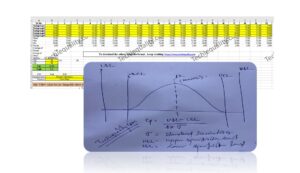
Hello readers! Today we will discuss how to measure process capability (Cp & Cpk). As you know that process capability and its index can be measured by using an Excel template or by using software like Minitab etc. We are offering to our readers for a limited time period to download the approved excel format, so download the template from the below link.

DOWNLOAD Excel Template of Cp & Cpk.

Process Capability (Cp):

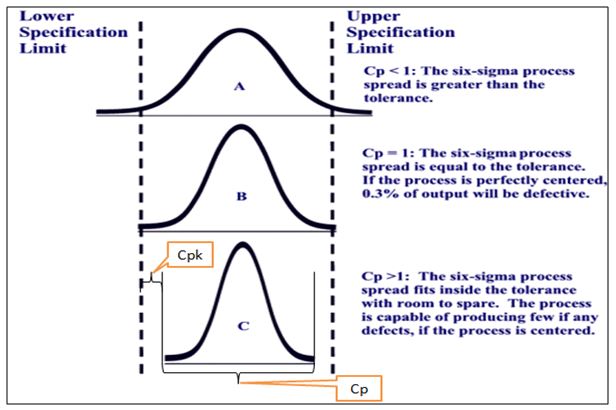
  • Process Capability (Cp) is a statistical measurement of a process’s ability to produce parts within specified limits on a consistent basis
  • It gives us an idea of the width of the Bell curve.
  • The Process Capability for a stable process is typically defined as ((USL-LSL)/ (6 x Standard Deviation)).

Process Capability Index (Cpk):

  • It shows how closely a process is able to produce the output to its overall specifications
  • More Value of Cpk means more process capable.
  • Cpk value <1 means the bell curve will be out of USL/LSL
  • Common Cpk vale=1,1.33,1.67 & 2
  • The Cpk value of a start-up manufacturing organization is supposed to be 1.33.  
  • The Process Capability Index for a stable process is typically defined as the minimum of CPU or CPL

How to measure process capability (Cp & Cpk)? (Industrial Example):

Characteristics Green Sand Permeability
Process: Green sand moulding process
USL 200
LSL 180
Table-A
Sl.No. 1 2 3 4 5 6 7 8 9 10
Subgroup1 190.00 189.00 189.00 191.00 190.00 192.00 188.00 191.00 189.00 189.00
SG2 191.00 188.00 188.00 191.00 191.00 193.00 187.00 191.00 188.00 188.00
Subgroup3 192.00 190.00 188.00 192.00 192.00 189.00 189.00 192.00 190.00 188.00
SG4 192.00 188.00 189.00 189.00 192.00 190.00 189.00 189.00 188.00 189.00
Subgroup5 193.00 189.00 190.00 190.00 193.00 188.00 190.00 190.00 189.00 190.00
Mean 191.60 188.80 188.80 190.60 191.60 190.40 188.60 190.60 188.80 188.80
Max 193.00 190.00 190.00 192.00 193.00 193.00 190.00 192.00 190.00 190.00
Min 190.00 188.00 188.00 189.00 190.00 188.00 187.00 189.00 188.00 188.00
Range 3.00 2.00 2.00 3.00 3.00 5.00 3.00 3.00 2.00 2.00
Table-B
Sl.No. 11 12 13 14 15 16 17 18 19 20
Subgroup1 189.00 191.00 190.00 189.00 189.00 191.00 190.00 191.00 190.00 191.00
SG2 188.00 191.00 191.00 188.00 188.00 191.00 191.00 191.00 191.00 191.00
Subgroup3 190.00 192.00 192.00 188.00 190.00 192.00 192.00 192.00 192.00 192.00
SG4 188.00 189.00 192.00 189.00 188.00 189.00 192.00 189.00 192.00 189.00
Subgroup5 189.00 190.00 193.00 190.00 189.00 190.00 193.00 190.00 193.00 190.00
Mean 188.80 190.60 191.60 188.80 188.80 190.60 191.60 190.60 191.60 190.60
Max 190.00 192.00 193.00 190.00 190.00 192.00 193.00 192.00 193.00 192.00
Min 188.00 189.00 190.00 188.00 188.00 189.00 190.00 189.00 190.00 189.00
Range 2.00 3.00 3.00 2.00 2.00 3.00 3.00 3.00 3.00 3.00
Average of Range 2.75
Averge of Mean 190.11
Std.Dev. 1.182287188
USL 200
LSL 180
Cp 2.82
Cpk 2.8

To know more about the manual calculation then click-here.

Similar Post:

Process Capability Analysis

How to calculate Cp and Cpk? |Practical Case Study | Process Capability Example

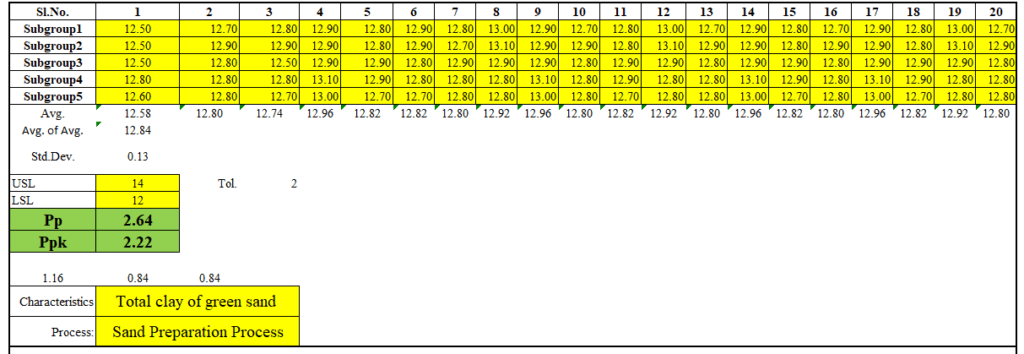
How to measure process performance (Pp & Ppk)?

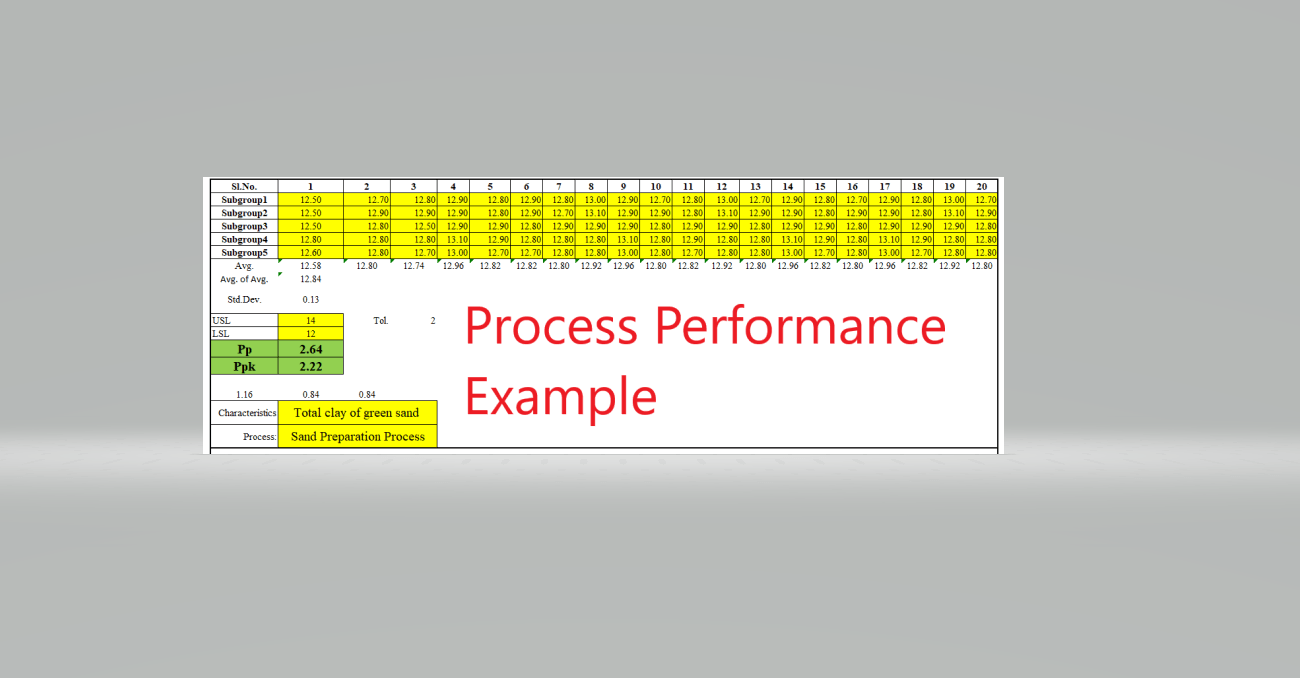
Process Performance Example (Pp) & Ppk |Download Format

How to calculate process performance (Pp & Ppk)?

Process Performance (Pp) & Ppk Excel Template |DOWNLOAD

Thank you for reading….Keep visiting Techiequality.Com

Popular Post

Pull Production System | Concept

Pull Production System

Pull Production System | Concept

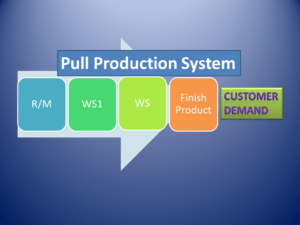
Pull Production System: Hello Reader! Today we will discuss the most popular tools or principles of TPS (Toyota Production System) is namely called PPS (Pull Production System). Mr. Taiichi Ohno had implemented this concept in the TPS system in Toyota Company. PPS is nothing but it is a manufacturing system in which production is based on the actual demand of customers (OEM, Tred, T-1, or end-user, etc.). The main purpose of a pull-production system is JIT and Low Inventory Production.  

Know More:  Toyota Production System History, Tools & Principles.

Pull Production System (PPS):

Pull Production System

Pull production is not so easy to implement, Toyota Company took 20 years to effectively implement the PPS. In Traditional manufacturing products are processed in batches of materials from one workstation (WS) to another and in each work station executes much work with several types of material flow, because there are many jobs that need to be executed at each workstation or machine, so it is difficult to synchronize the flow of materials.

Later it would result in large amounts of in-process inventory at various workstations. But in the pull production system, the manufacturing unit develops a system that will indicate the demand of material flow in each stage so that there will eliminate the need for large amounts of inventory and also need to be implemented the KANBAN system to coordinate the flow of materials between the work station in such a way that the inventory will minimum or low in each stage i.e. in any stage of the process, or finish product stage. It’s just following the JIT (just-In-Time) Production.

Note;

Companies or manufacturing units that are not following the PPS may hold a high inventory, which is a big challenge and business risk in the manufacturing industry. In 2019, the Automobile industry is suffering and facing the problem may be due to the market inventory of finished products in various stages. Always it is better to follow the PPS system. Manufacture the Products as per market demand or Customer demand.

Useful Articles:

Error Proofing Understanding & Implementation of IATF 16949 Clauses 10.2.4

Swot Analysis of a Company Challenges

Pareto Chart Example of Manufacturing Units

Histogram Example | Foundry Industries Examples

Download QA & QC Tools Formats

Thank you for reading…Keep visiting Techiequality.Com

Popular Post:

Jidoka Autonomation, Bakayoke & Yo-I-don |Concept in TPS

Jidoka Autonomation

Jidoka Autonomation, Bakayoke & Yo-I-don |Concept in TPS

Hello Reader! Here we will describe three important elements of TPS (Toyota Production System) are Autonomation (Jidoka), Bakayoke & Yo-i-don. These three elements are very useful and frequently used in manufacturing units to reduce the number of defectives products and improve the quality of the process.

Read more…TPS, TPS History, Pull Production System.

(Jidoka) Autonomation:

Autonomation is a word coined by Toyota that means Autonomous defect control. Jidoka allows the operation to have a built-in quality at each work step so that the workforce (operators) does not have to watch the operation or machine to control the process defect.

Illustration:

Autonomation (Jidoka) doesn’t pass the defect to nest operation, doesn’t make defects, and doesn’t accept defects. The Must-probably production system is controlled by the just-in-time system but if there is an existing of process defect the autonomation system will help you to control the process defect control for an automatic process, if it’s a manual process then we have to implement the Bakayoke system which is the older name of Poka-yoke (Error proofing).

Sometimes in a fully manual process where Bakayoke is not possible to implement, normally a red colour stop button is used for any defects detected during operation. The line problem is then fixed up before work is resumed. Andon light system is generally used in the Jidoka system.

Andon light system:

Jidoka Autonomation
Jidoka Autonomation

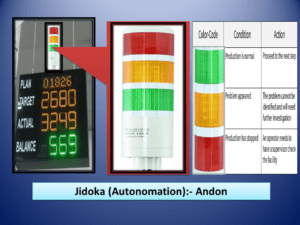
 Details: Generally andon light system having three different colors. Which indicates some meaning to take action i.e.

Colour
Code
Condition Action
Green Normal Operation Move on to the next operation
Yellow Problem Appeared Fix up the problem
Red Production or M/C stopped The Problem needs to be identified and to be fixed up

This is one of the best tools which is frequently used in the manufacturing industry. But in a fully automation factory, machines or operations can be controlled through a wireless, or wifi connection to control the process or machine defect smartly and you can resolve the problem very promptly.

Yo-I-Don system:

It means Ready, set, go. This system involves teamwork between adjacent operations to ensure that work at the station is balanced. After completion of operation at each work station, all operators need to press the special button if any station sees a red light, which means it indicates delays and the entire line stops until all red lights are off. When this happens, workers nearby help each other to complete the work.

After completion of operation at each work station, all operators need to press the special button if any station has seen the red light, which means it indicates delays and the entire line stops until all red lights are off. When this happens, workers nearby help each other to complete the work.

After completion of operation at each work station all operators need to press the special button if any station has seen the red light, which means it indicates delays and the entire line stops until all red lights are off. When this happens, workers nearby help each other to complete the work.

Benefits of Autonomation:

  • Reduces the number of defective product
  • To increase the productivity
  • Improve the process quality
  • Empowers peoples
  • Enable separation of interested parties’ work and machine.
  • Prevent defective (Before delivering to the next workstation.
  • Man-power saving

Useful Articles:

Histogram Template with example | Download

Verification vs Validation | What is the difference between verification and validation?

Kaizen vs Innovation | Key Differences between Kaizen and Innovation

Free download of QC tools

Thank you for reading…Keep visiting Techiequality.Com

Popular Post:

Quality at the source | Steps to Implement It

Quality at the source

Quality at the source | Steps to Implement It:

Hi Reader! Today we are going to discuss Quality at the source. In a traditional manufacturing process involves the inspection at every phase of production. Inspection only can detect defects and not prevent defects and also manually it is difficult to 100% check or inspect the product at every stage of production. If it could not be detected at the time and stage of each phase then at a later phase/ stage, defective products were either reworked, repaired, or scrapped. Otherwise, these were passed on to PDI and later on to end-users or customers.

Download the Free 7QC Tools Excel tools template or format with an industrial example.

Quality at the source

In the smart production (Lean production system or TPS system) system manufacturing units are implemented so many tools (like Jidoka, Andon, Poka-yoke, etc.) to control the defects at the source and stop them there. And one more effective concept is QM (TPM) to implement at the shop floor to control the defect at every stage. As we know that operators are in a better position than inspectors than inspectors to discover the defects and fix them if they are unable to fix them, then they can stop the line and they will intimate the technical expert to fix them at the source. In such a way a smart production industry could able to control the quality at the source.

Steps to implement Quality at the source:

  1. Standardize the Work.
  2. Self-check.
  3. Successive check
  4. Visual standard
  5. Autonomation

Illustration of Steps:

Step-1: Standardise the work process, materials, tools, machine set-up, tools changeover, tools life, trained the workers or operators, etc.

Step-2: Involve the workers or operators in checking or measuring the key parameters of quality themselves. And let them make the necessary corrections to fix-up the problem.

Step-3: Regular checking for quality downstream.

Step-4: Master sample, Visual signboard, physical acceptance criteria sample display at work station, Pareto chart, cause and effect diagram, run chart or line chart, etc.

Step-5: Implementation of Autonomation line Andon light, Poka-yoke, etc.

Principles:

The above steps are based on three key principles as Philosophical, operating technique, and physical device. Empowering the employee to stop producing the defective product (Philosophical principle) at the production line and enforce instruction, sequence, and execution through visual standards. And finally, the physical device principle follows the Autonomation concept means installing the physical device such as Poka-yoke, Andon light, or signal to control the quality at the source (enhance the quality product and eliminate the defects at the source.

Single line definition:

Quality at source is an effort of an organization to improve the quality of products by having a worker or operator act as their own operation, and never allow passing defective products to the next process.

Benefits of Quality at the Source:

  • To improve Productivity.
  • Awareness of the importance of quality.
  • Empowerment of workers or operators to achieve the desired quality.
  • To reduce the wastages.

Useful Articles:

Jidoka Autonomation, Bakayoke & Yo-I-don |Concept in TPS

Pull Production System | Concept

Toyota Production System History

Toyota Production System Tools & Technique

Thank you for reading…Keep visiting Techiequality.Com

Popular Post:

Process Performance (Pp) & Ppk Excel Template |DOWNLOAD

Process Performance Excel Template

Process Performance Excel Template (Pp & Ppk Format) | DOWNLOAD

Process Performance Excel Template: According to the SPC (Statistical Process Control Manual), the process Performance (Pp) compares the process performance of the process to the maximum allowable variation as indicated by the tolerance. The Pp (Process Performance) provides a measure of how well the process will satisfy the variability requirements. And the Index of process performance is termed as Ppk. It takes the process location as well as the performance into account. Download the Excel Template /Format of Pp & Ppk from the below link.

DOWNLOAD Excel Template/Format of Pp & Ppk calculation with Example.

Process Performance Excel Template

How to use the Pp & Ppk Excel Format in your process to calculate the index value?

1: Download the Template/ Format from the above links.

2: Read the note mentioned in the Excel template.

3: Only the yellow colour box (mentioned in format) is changeable and other values will calculate automatically.

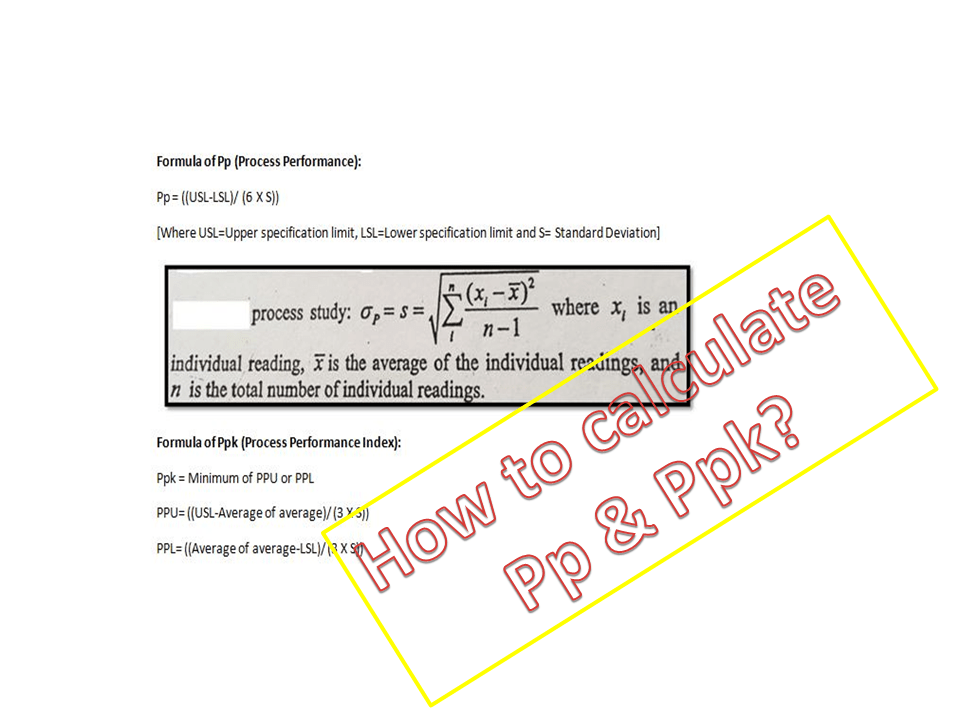
 The formula of Pp (Process Performance):

Pp = ((USL-LSL)/ (6 X S))

[Where USL=Upper specification limit, LSL=Lower specification limit and S= Standard Deviation]

The formula of Ppk (Process Performance Index):

Ppk = Minimum of PPU or PPL

PPU= ((USL-Average of average)/ (3 X S))

PPL= ((Average of average-LSL)/ (3 X S))

Note: Pp ≥ Ppk.

Example:

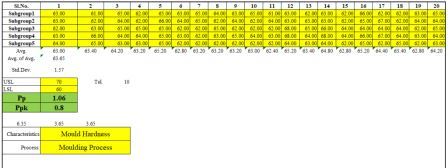
Company XYZ pvt ltd is interested to know the process performance of moulding process that, how well the process is performing and satisfies the variability requirements of mould hardness. The process engineer has collected the total 100 numbers of readings considering with subgroup size 5. Readings are given below;

Sl.No. 1 2 3 4 5 6 7 8 9 10
Subgroup1 63.00 61.00 65.00 62.00 65.00 63.00 65.00 64.00 63.00 65.00
Subgroup2 63.00 62.00 64.00 62.00 66.00 64.00 65.00 62.00 64.00 62.00
Subgroup3 62.00 63.00 65.00 65.00 65.00 62.00 62.00 65.00 62.00 62.00
Subgroup4 63.00 66.00 64.00 64.00 65.00 63.00 62.00 63.00 65.00 64.00
Subgroup5 64.00 65.00 63.00 63.00 65.00 62.00 62.00 62.00 62.00 62.00
11 12 13 14 15 16 17 18 19 20
61.00 63.00 62.00 63.00 62.00 66.00 62.00 62.00 63.00 65.00
64.00 63.00 63.00 63.00 62.00 65.00 67.00 62.00 64.00 64.00
62.00 68.00 65.00 66.00 64.00 64.00 64.00 64.00 62.00 65.00
63.00 68.00 64.00 68.00 64.00 66.00 67.00 64.00 63.00 64.00
62.00 64.00 63.00 64.00 62.00 65.00 62.00 65.00 62.00 63.00
Characteristics Mould Hardness
Process: Moulding Process
USL 70
LSL 60
Pp 1.06
Ppk 0.8

In the above example, the value of Ppk (0.8) is indicating that the process needs further improvement. The start-up process requires at least 1.33 and next to 1.67 and 2 onward.

Useful Articles:

Quality at the source | Steps to Implement It

Jidoka Autonomation, Bakayoke & Yo-I-don |Concept in TPS

Pull Production System | Concept

Download QA & QC useful template/ format in free

More on TECHIEQUALITY

Thank you for reading… Keep visiting Techiequality.Com

Popular Post

Error Proofing Understanding & Implementation of IATF 16949 Clauses 10.2.4

Error Proofing

Error Proofing Understanding & Implementation of IATF 16949 Clauses 10.2.4

Error Proofing/ Poka-Yoke is a Japanese word that means ‘mistake-proofing’. Its main goal is to eliminate Process defects by preventing, correcting, or drawing attention to human errors. This concept was implemented during the TPS (Toyota Production System). The actual term used in TPS is Bakayoke but in later it was changed to Poka-Yoke.

DOWNLOAD the Risk identification Format/ Template and its Procedure as per IATF 16949 & ISO 9001 with example.

Error Proofing

In the 1960s, Shigeo Shingo had applied the term poka-yoke in the industry to prevent human error. The error-proofing is also called as poka-yoke, mistake-proofing, and bakayoke. But the term used in IATF 16949 standards is Error-Proofing in clause no. 10.2.4. Detail has described the standard requirement in below. purpose of poka-yokel the good product to subsequent process and block the defective product without any human interference.

How to select and install Error Proofing devices :

  • Study the process.
  • Identify the “Q” component and decision-making points
  • You can make a special automation device w.r.t your process and machine layout.
  • Install the poke-yoke or automatic defect control devices.

Benefits:

  • Less time spent on On-Job training.
  • Elimination of manual defect control.
  • The unburdening of the QA person.
  • Enhance customer satisfaction.
  • 100% defect control.
  • Eliminating defects before they occur.
Understanding and Implementation of requirements of Error-Proofing / Poka-Yoke / Mistake-Proofing according to IATF 16949 (Clause no 10.2.4):
  1. An organization needs to prepare a Procedure to determine the use of mistake-proofing And the same Poka-yoke methods are supposed to address in FMEA.
  2. Now test frequency shall be defined and the same link to be given in the Control Plan or QAP (Quality Assurance Plan).
  3. Records of such tests of poka-yoke need to be retained by the organization.
  4. If any poka-yoke fails to work, then the organization should have a reaction plan for the failure of Error-proofing/ Poka-yoke.

To fulfill the mandatory requirements of clause 10.2.4 (IATF 16949), we have to implement the above four points in practice.

How to Identify Error-proofing opportunities in a process or operation?

Now, we are going to discuss a very interesting topic that is more practical in manufacturing, as we know that error proofing is also called Poka-yoke or mistake proofing which is used to prevent the mistake during a process or operation. Below is the step-by-step process to identify the mistake-proofing opportunities in an operation or process.

Understand the Process or Operation:

First of all, you have to understand the entire process or operation before going to identify the mistake-proofing opportunities. For better understanding try to involve and talk to the operators, employees, supervisors, etc. of that process and review the PFD and documentation.

Identify the potential failures.

Just interact with shop floor people and try to go through the Gemba audit to identify the points in the operation where mistakes are likely to occur. And note down these points for further analysis.

Analyze the opportunity points

Review the opportunity points and discuss with the engineering teams to find out the mistake-proofing resolution. For example, camera installation, device, automation, sense installation, gauge, etc for pokayoke the operation or measurement.

  • Evaluate the feasibility and cost of the error-proofing solution.
  • Pilot Test: Try to conduct the pilot test of poka-yoke measurement before implementation in the entire process or operation.
  • Full-phase implementation of poka-yoke measurement or device after getting the desired result from pilot testing.
  • Document the error proofing and establish the periodic testing
  • Provide training to operators related to error-proofing usages and handling and if possible, you can display the feature points on the shop floor for quick reference.

Useful Articles:

Pareto Chart Example of Manufacturing Units

SWOT Analysis Formats

Verification vs Validation | What is the difference between verification and validation?

QC Formats

QA Format/ Templates

Thank you for Reading… Keep visiting Techiequality.Com

If you require any further information, feel free to contact us.

Popular Post:

Toyota Production System Tools & Technique

Toyota Production System Tools

Toyota Production System Tools & Technique

Toyota Production System Tools: Mr. Taiichii Ohno of Toyota Motor Company had developed the Toyota production system. It is a type of JIT (Just-In-Time) Production system using the “KANBAN” pull system of production. It is also known as a lean production system. The Prototype of TPS systems is JIT and Lean Production.

DOWNLOAD [QA Tools, QMS Template in Excel and Word form]

Toyota Production System Tools

In the 1950s, Eiji Toyoda and Taiichii Ohno of Toyota Motor Company adopted a lean Production system based on JIT (Just-In-Time). Eiji Toyoda had visited Ford Motors to study the mass production system of the Ford Plant with the purpose of establishing the same system in his Toyota Motor Company. However, after visiting of ford motor company, he was not influenced by the suitability of the mass production system for his plant he asked his production engineer Taiichii Ohno to design a must suitable system for his plant. The system developed by Taiichii Ohno was later termed as Toyota Production System.

Several elements of JIT production system are:

  1. Small lot production
  2. Level Production
  3. TPM (Total Productive Maintenance)
  4. Pull production system
  5. Quality
  6. Flexible Resources
  7. Cellular Layouts
  8. Kanban System
  9. Quick set-up
  10. Supplier networks

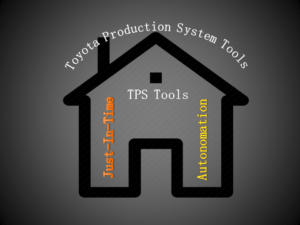
Two Major concepts of the Toyota production system are;

  • JIT (Just-In-Time)
  • Autonomation

The principles of Toyota’s production system include;

  1. Quality at the source
  2. Pull production
  3. Supplier Involvement
  4. Cellular Layouts
  5. Flexible resources
  6. Reduced set-up time
  7. Small lot production
  8. Employee involvement & Empowerment
  9. Equipment Maintenance
  10. Uniform production levels

The above elements and principles were the most important input to enhance mass production with zero defects. Rather than this one more concept also was important there to success the effective functioning of the TPS system was “Autonomation”.

Autonomation:

Autonomous defect control which depends on both automatic stop devices. It ensures that 100% good units flow to the subsequent operations.

Below are some mechanisms used for Autonomation such as?

  1. Baka-yoke/ Poka-yoke
  2. Andons
  3. Yo-i-don system.

Useful Articles:

Error Proofing Understanding & Implementation of IATF 16949 Clauses 10.2.4

Swot Analysis of a Company Challenges

Pareto Chart Example of Manufacturing Units

Histogram Example | Foundry Industries Examples.

Rework vs Repair |IATF Requirement for Control of Reworked/ Repaired Product.

Thank you for ReadingKeep visiting Techiequality.Com

Popular Post:

Toyota Production System History

Toyota Production System History

Toyota Production System History

Toyota Production System History: In the 1800s, the Toyoda family has started the first business as a textile firm but later in 1935, they began producing cars. Initially, the quality of the cars was very poor. In 1950, Eiji Toyoda visited the Ford Motor Company to learn and establish the methods of mass production in their Toyota car manufacturing plant. After months of studying the plant, Toyoda concluded that Ford’s production system was not suitable in Japan. In the US, only one type of car was produced in a plant. Toyoda would like to produce a variety of cars in just one plant. Also, Toyota Company has so many other problems as a short supply of capital that prevented him from investing heavily in modern equipment and technology and the strong Japanese company labours unions, Because of which he could not readily hire workers.

Toyota Production System Tools & Technique

Toyota Production System History

Finally, Toyoda has decided that Ford production system would not be suitable for their car manufacturing company and called production engineer Taiichii Ohno to aid him in developing a workable system taking into consideration the restrictions of his company. Because of the restrictions Taiichii Ohno had to design a system that would be more efficient, less costly, and more flexible, would be less wasteful than traditional mass-production methods. The system developed by taiichii Ohno and Toyoda was later termed as “Toyota Production System”.

The Prototypes of the TPS (Toyota Production System” is the JIT (Just-In-Time) & Autonomation. The Objective of the JIT was to produce the necessary units in the quantities needed at the time they were needed. Just-in-time is a popular name but some companies call it as Continuous-flow manufacturing, Stockless production, management by sight, short-cycle manufacturing and time-based competition, etc.

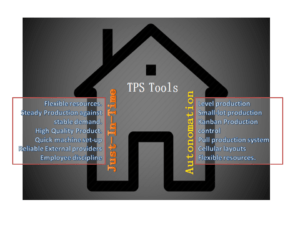
The major elements of Just-In-Time are;

  1. No machine breakdowns
  2. Flexible resources
  3. Steady Production against stable demand.
  4. High-Quality Product.
  5. Quick machine set-up
  6. Reliable External providers
  7. Employee discipline

The word Autonomation means automation with human touch or autonomous defect control.

The Principles used in TPS (Toyota Production System are;

Toyota Principles

  1. Supplier network
  2. Quality at the source
  3. TPM
  4. Quick set-up
  5. Level production
  6. Small-lot production
  7. Kanban Production control
  8. Pull production system
  9. Cellular layouts
  10. Flexible resources.
  11. Autonomation

Useful Articles:

Error Proofing Understanding & Implementation of IATF 16949 Clauses 10.2.4

Swot Analysis of a Company Challenges

Pareto Chart Example of Manufacturing Units

Histogram Example | Foundry Industries Examples

QA & QC Tools Template

Thank you for reading…Keep visiting Techiequality.Com

I hope the above articles “Toyota Production System History” is useful to you…

Popular Post:

Histogram Example | Foundry Industries Examples

Histogram Example

Histogram Example | Foundry Industries Examples

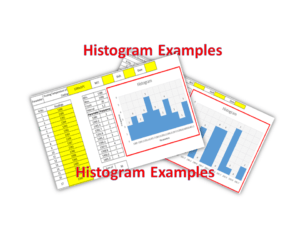
Histogram Example: Hello, Readers! Here we will discuss two important industrial examples to prepare a Histogram and its interpretation. If you are interested in downloading the Excel template/format, then go through the beneath links.

DOWNLOAD [Histogram Template in Excel format].

How to Prepare Histogram in Excel?

Histogram Example
Histogram Example

Example-1:

A Process engineer of an organization (XYZ Ltd) had decided to know the bins range [frequency distribution] of pouring temperature of casting and he has started collecting the data of 30 number readings and analyzing that data distribution that histogram graph is normal or non-normal. Illustrations of the same readings are given below,

Histogram Example
Histogram Example

DOWNLOAD Example-1’s Histogram Excel Template.

Parameter: Pouring Temperature of Casting 1390±10°C M/C   Shift   Date  
Sl. No Readings Sl. No Readings
 1 1390 16 1399
2 1389 17 1395
3 1395 18 1397
4 1394 19 1396
5 1393 20 1392
6 1392 21 1393
7 1397 22 1393
8 1398 23 1400
9 1397 24 1389
10 1393 25 1390
11 1396 26 1390
12 1400 27 1391
13 1391 28 1392
14 1400 29 1393
15 1398 30 1397
Min. 1389
Max. 1400
Count 30
Interval 1.2
Parameter Frequency
1389 2
1390.2 3
1391.4 2
1392.7 3
1393.9 5
1395.1 3
1396.3 2
1397.6 4
1398.8 2
1400.0 1
1401.2 3
Sum of frequency 30
 Exmp. of frequency distribution
Example-1

Interpretation of Result: Non-normal data distribution.

Example-2:

We have collected the 30 readings of green sand permeability, details are given below and also, and we have plotted a histogram to know the data frequency distribution.

DOWNLOAD Exanple-2’s Histogram Excel Format.

Parameter: Green sand Permeability 200±10 M/C   Shift   Date  
Sl. No Readings Sl. No Readings
1 201 16 200
2 200 17 201
3 202 18 201
4 201 19 203
5 200 20 201
6 199 21 198
7 199 22 199
8 198 23 197
9 201 24 197
10 200 25 198
11 199 26 199
12 198 27 200
13 197 28 201
14 199 29 203
15 198 30 200
Min. 197
Max. 203
Count 30
Interval 0.7
Parameter Frequency
197 3
197.7 0
198.3 5
199.0 0
199.7 6
200.3 6
201.0 0
201.7 7
202.3 1
203.0 0
203.7 2
Sum of frequency 30
Histogram Example
Example-2
Interpretation of Result: Non-Normal data distribution.

Useful Links:

How to Plot Pareto Chart in Excel ( with example)

OEE Calculation-How To Calculate OEE (Overall Equipment Effectiveness) with Example

Implementation of KAIZEN in Industry

CAPA Process

Thank you for reading…. Keep visiting Techiequality.Com

Let us know if you have any questions…

Popular Post:

Pareto Chart Example of Manufacturing Units

Pareto Chart Example

Pareto Chart Example of Manufacturing Units

Pareto Chart Example: Hello Readers! Today we will discuss about the pareto chart principle (80/20 Rule) with manufacturing examples.

DOWNLOAD the Below Example Pareto chart in Excel format.

Pareto Principle (80/20 Rule): –

The 80/20 Rule or Pareto Principle is the most important part of Pareto Analysis. The rule 80/20 says that 80% of the effects come from 20% of the causes.

History of 80/20 Rule: In Italy, Vilfredo Pareto has originally observed that 20% of people were owned 80% of the land. This principle was applied to quality control and favoured the use of the statement of the phrase, which is “The Vital few and useful many” to define the 80/20 rule in the 20th century by Dr. Joseph M. Juran.

Understanding of Principle with Manufacturing Example:

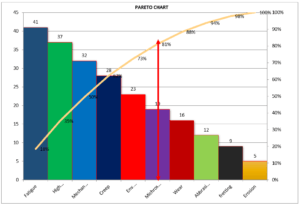
 We have taken the major defects related to the Metal fabrication and casting Process. We will analyze the contribution of defects among all with the help of the Pareto principle 980/20 Rule). So, let’s get started with two important examples, details are given below.

Example:
Defects Quantity
Fatigue 41
High temp. defect 37
Mechanical Property degradation 32
Creep 28
Env. Interaction 23
Microstructural changes 19
Wear 16
Abbrasive Wear 12
fretting 9
Erosion 5

Now, we are supposed to calculate the Cumulative total and Cumulative percentage

Defects Quantity Cumulative
Total
Cumulative in
%
Fatigue 41 41 18%
High temp. defect 37 78 35%
Mechanical Property degradation 32 110 50%
Creep 28 138 62%
Env. Interaction 23 161 73%
Microstructural changes 19 180 81%
Wear 16 196 88%
Abbrasive Wear 12 208 94%
fretting 9 217 98%
Erosion 5 222 100%

Now, we will plot the Pareto chart and will apply the 80/20 rule to know the 80% contribution among all defects.

Pareto Chart Example

Application of 80/20 rule on the above example: kindly go through the above example and Pareto chart as well, in the aforesaid Pareto chart we have marked by the red color arrow and it is indicating the 80% contribution on a line graph, which means whatever defects are coming under the arrow are contributing the 80% contribution. If you are able to resolve these defects means, your 80% contribution will be solved out of 100%.

I hope the above articles are useful and you people are understood well.

Useful Links:

Histogram Example | Foundry Industries Examples

Histogram Template with example | Download

Repeatability vs Reproducibility | Discussion of Key difference.

Histogram Template with example | Download

More on TECHIEQUALITY

Thank you for reading…. Keep visiting Techiequality.Com

Let us know if you have any questions…

Popular Post: